
Removing Customers from a Load
If for whatever reason a route or load need to be deleted, there are several steps that must be taken other than clicking on the garbage can icon. It begins from the end of the process and customers must be removed from a load first. The same process of adding a customer is the same for removing them.
- Open the load by clicking on the dropdown and then select the customer
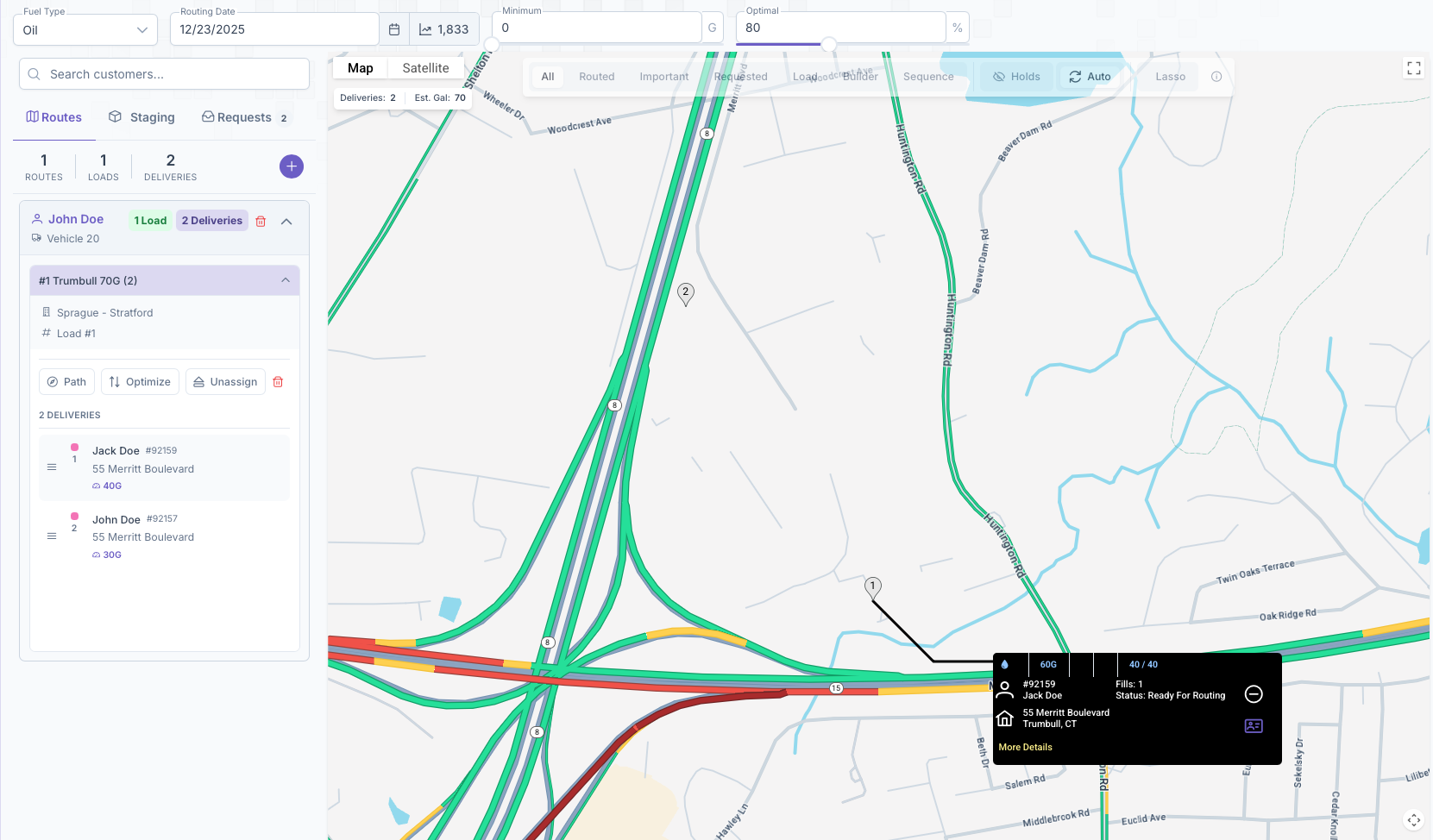
- Clicking on them will open their card on the map and the minus button will appear on their card instead of a plus
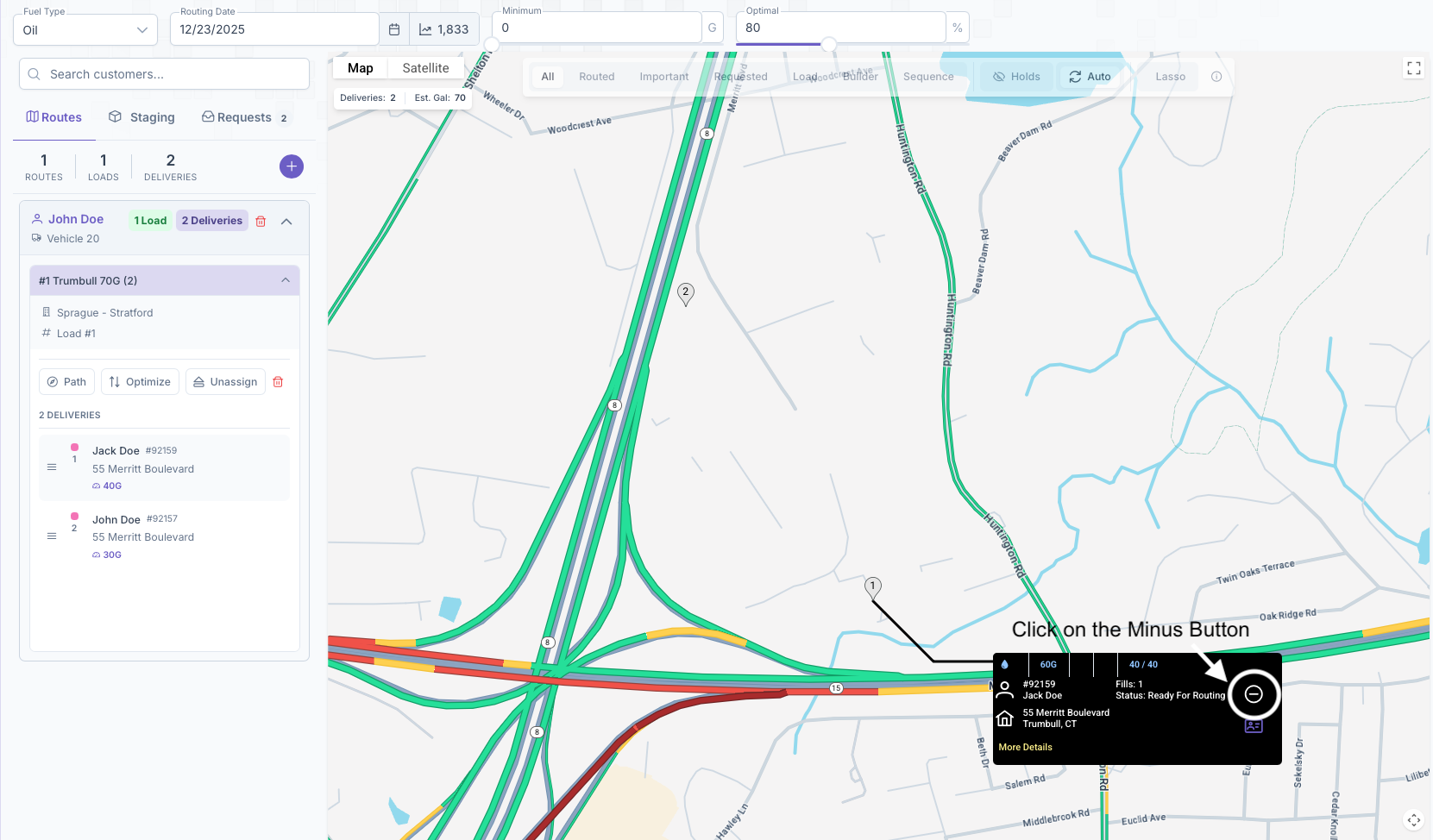
- Clicking on the minus will remove them from the load
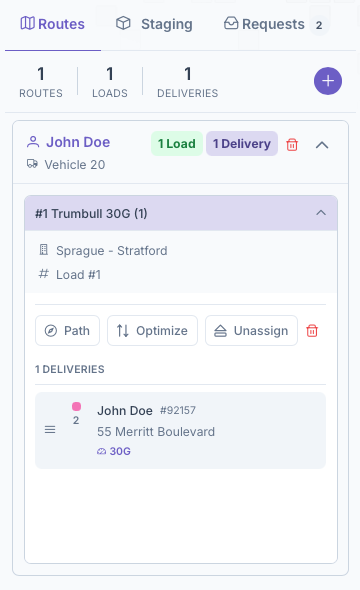
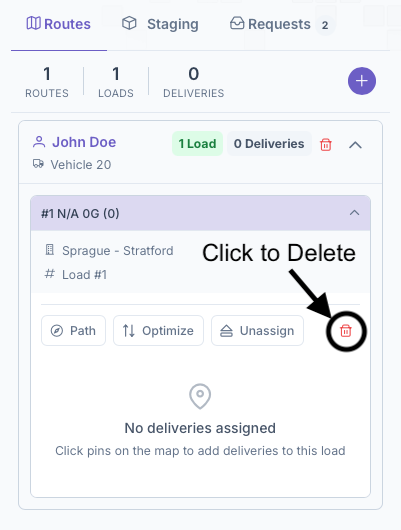
Once all customers have been removed, the load itself can be deleted by clicking on the garbage can icon on the load dropdown box. After a load has been deleted, it'll be removed from the route and now the route itself can be deleted by clicking on the garbage can icon.
No comments to display
No comments to display