Driver Load View
4.1 Driver Load List Screen
Purpose: Displays all assigned routes and loads for the driver on the selected date.
Key Features:
- View all loads assigned for the day
- Switch between multiple loads using tabs or horizontal picker
- Displays estimated gallons, number of stops, and progress
- Supports both Oil and Propane delivery types
Screen Breakdown:
| Element | Description |
| Load Header | Shows truck number, delivery date, and load number |
| Summary Metrics | Displays estimated gallons, delivered gallons, remaining stops, and revenue (oil only) |
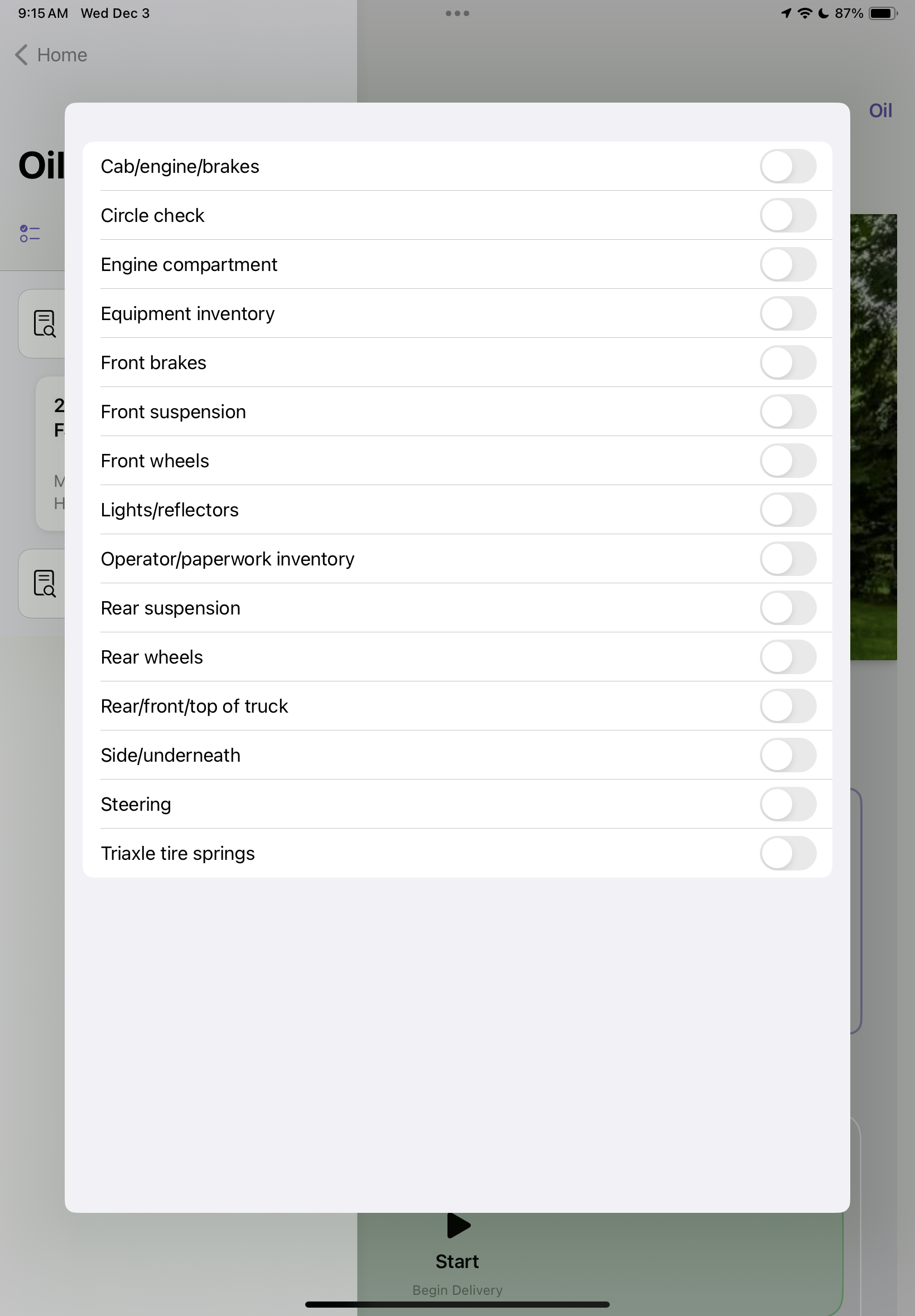
| Checklist Banner | Required pre-trip items such as inventory, safety checks, and mileage must be completed before deliveries begin |
| Delivery List | Scrollable list of customers with address, estimated gallons, and delivery status |
Steps to Begin a Load:
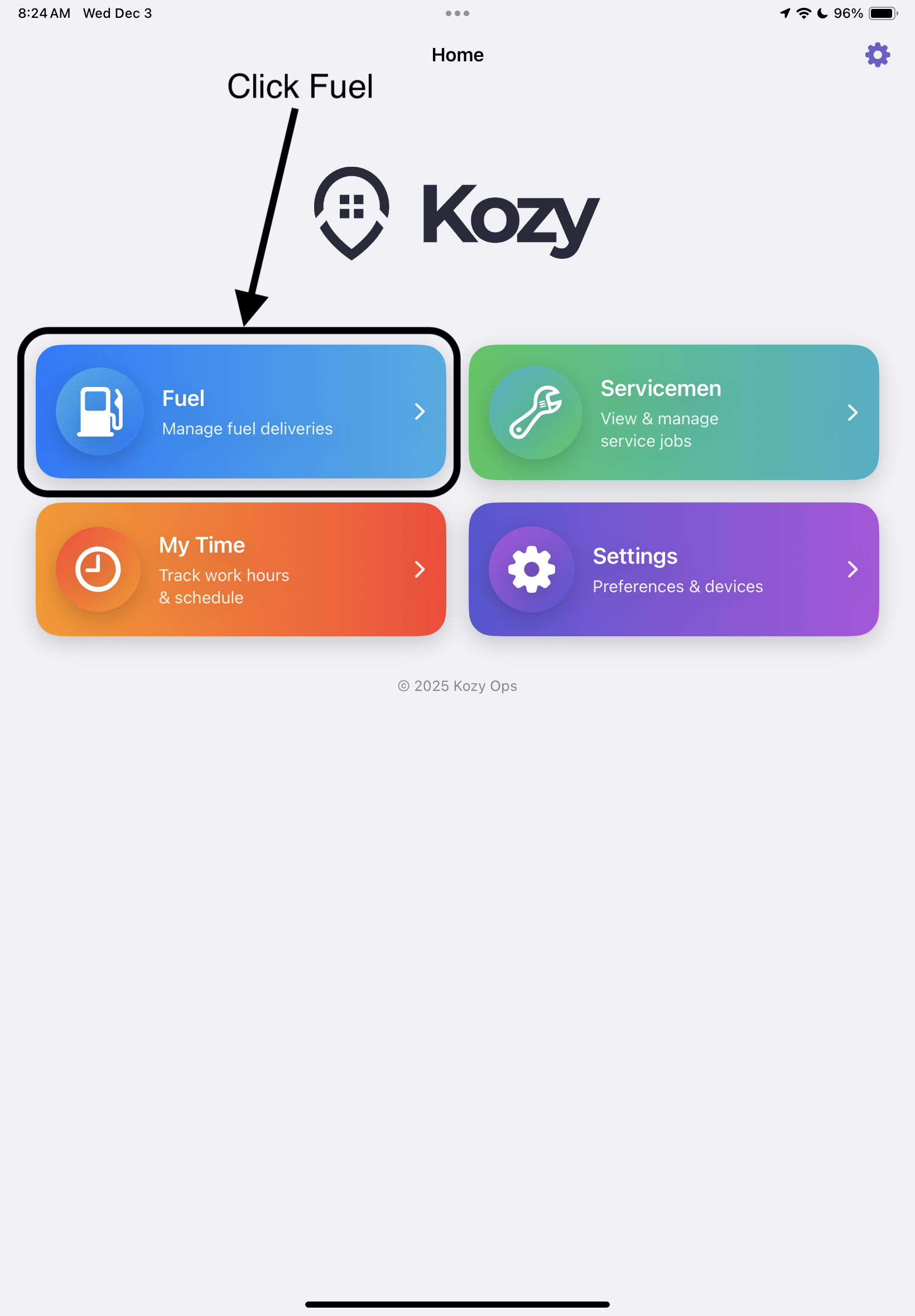
- Tap the Fuel card on the Home screen
- Select the active load from the top navigation bar
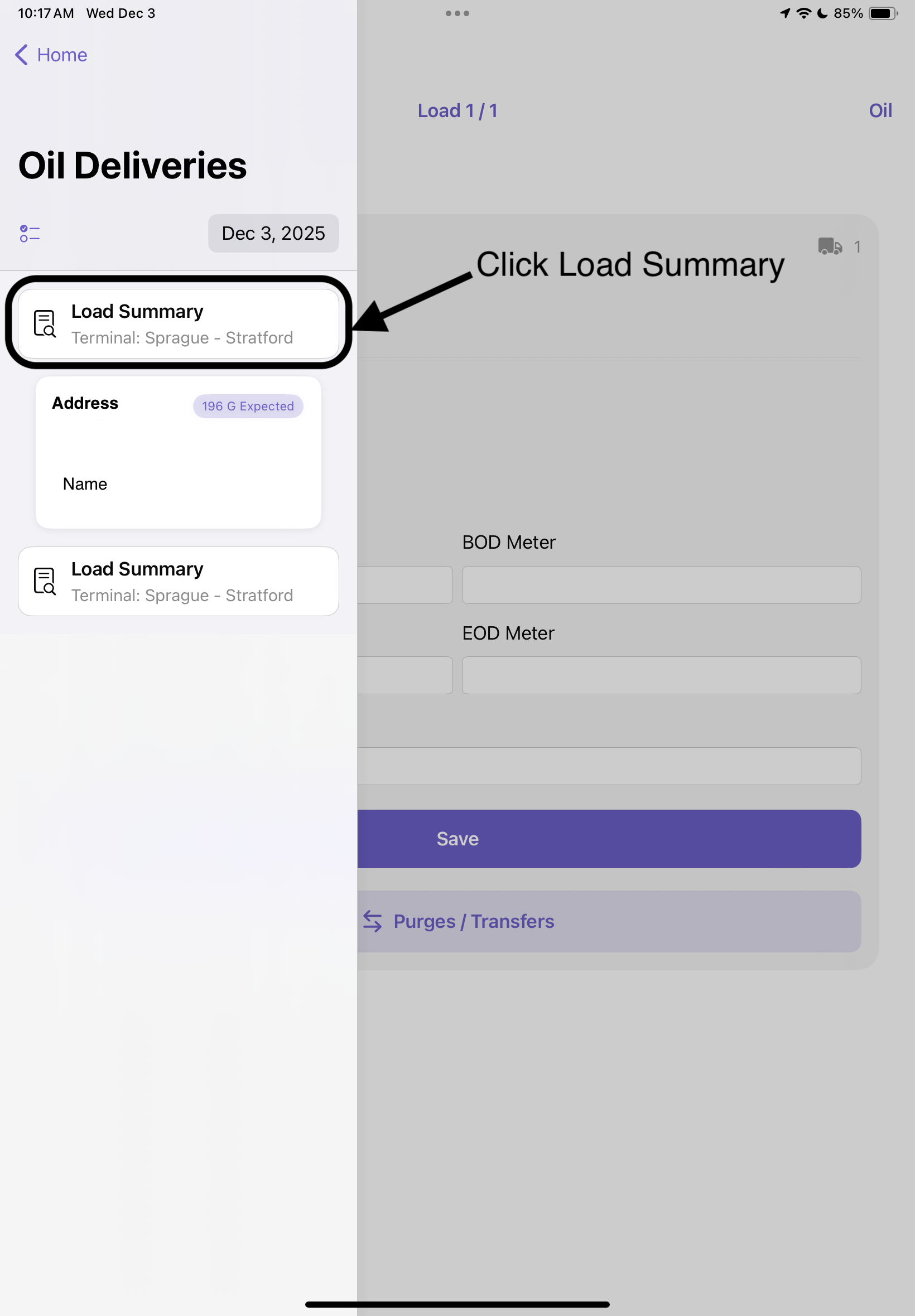
- Complete any items in the Pre-Trip Checklist if displayed
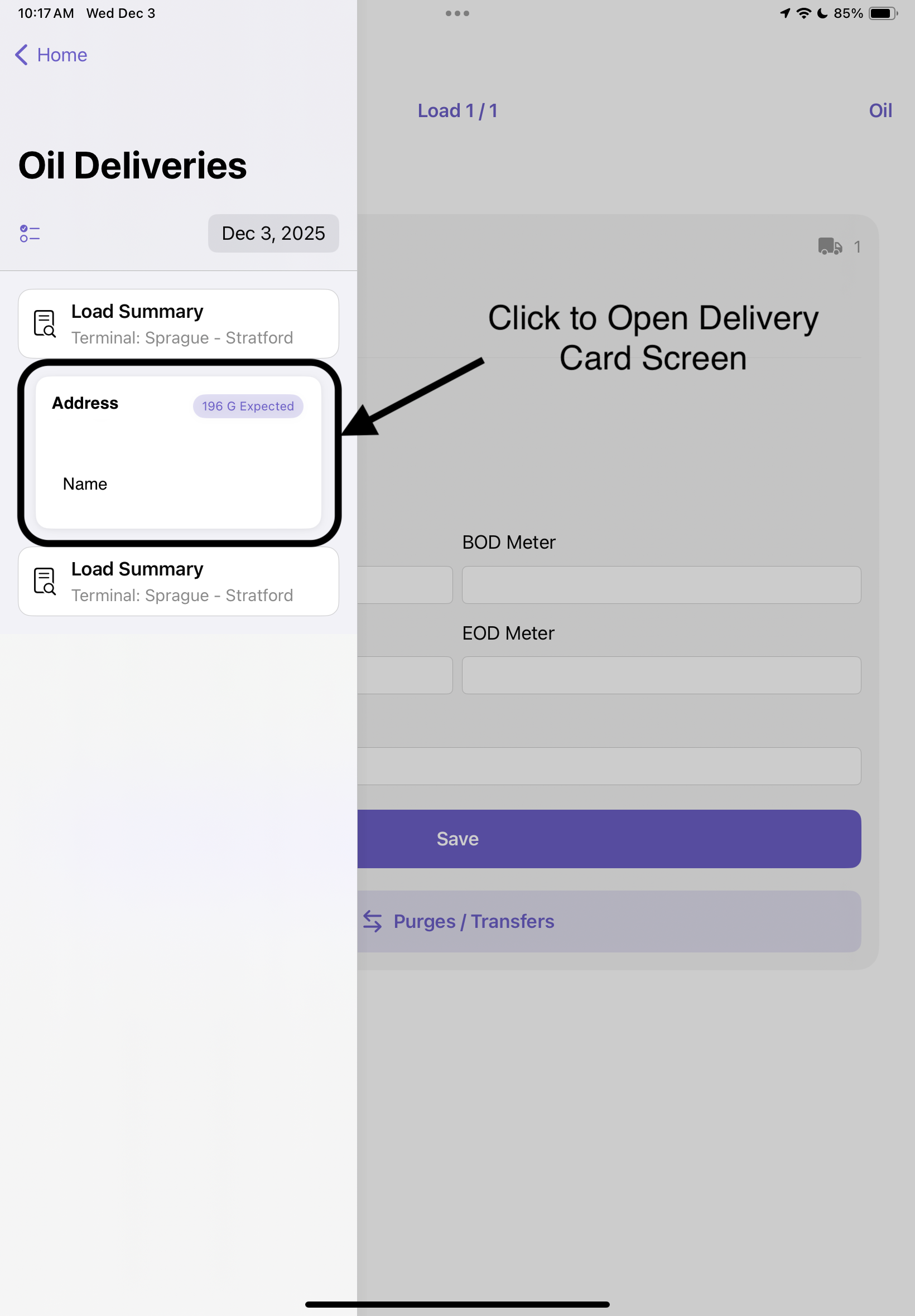
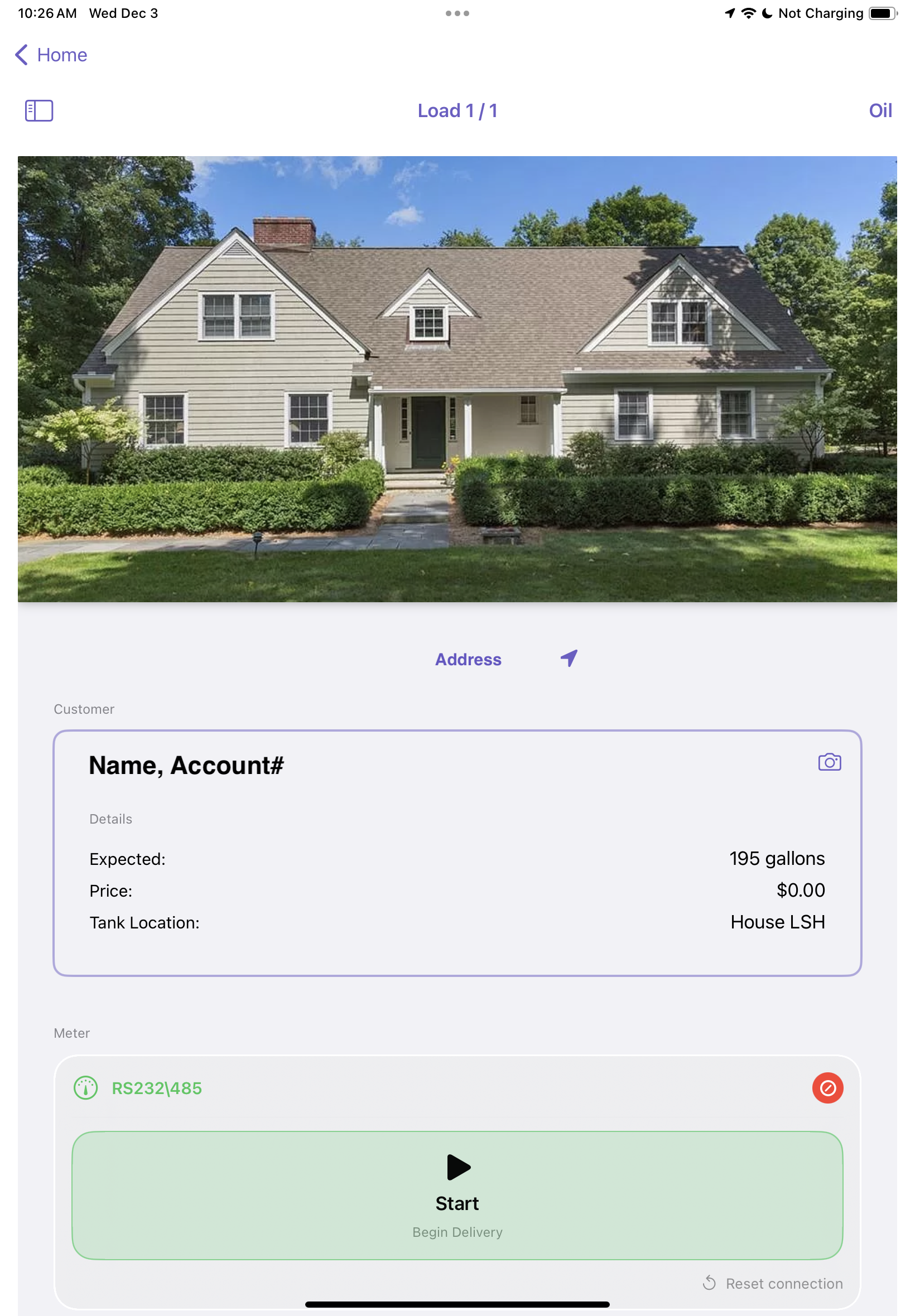
- Tap a delivery stop to open the Delivery Card screen