Autopay/Adding Credit Cards
Overview
The Autopay section of billing is where credit cards on a customers account can be managed. This inclodes adding credit cards to the account and what autopay features are placed on said cards.
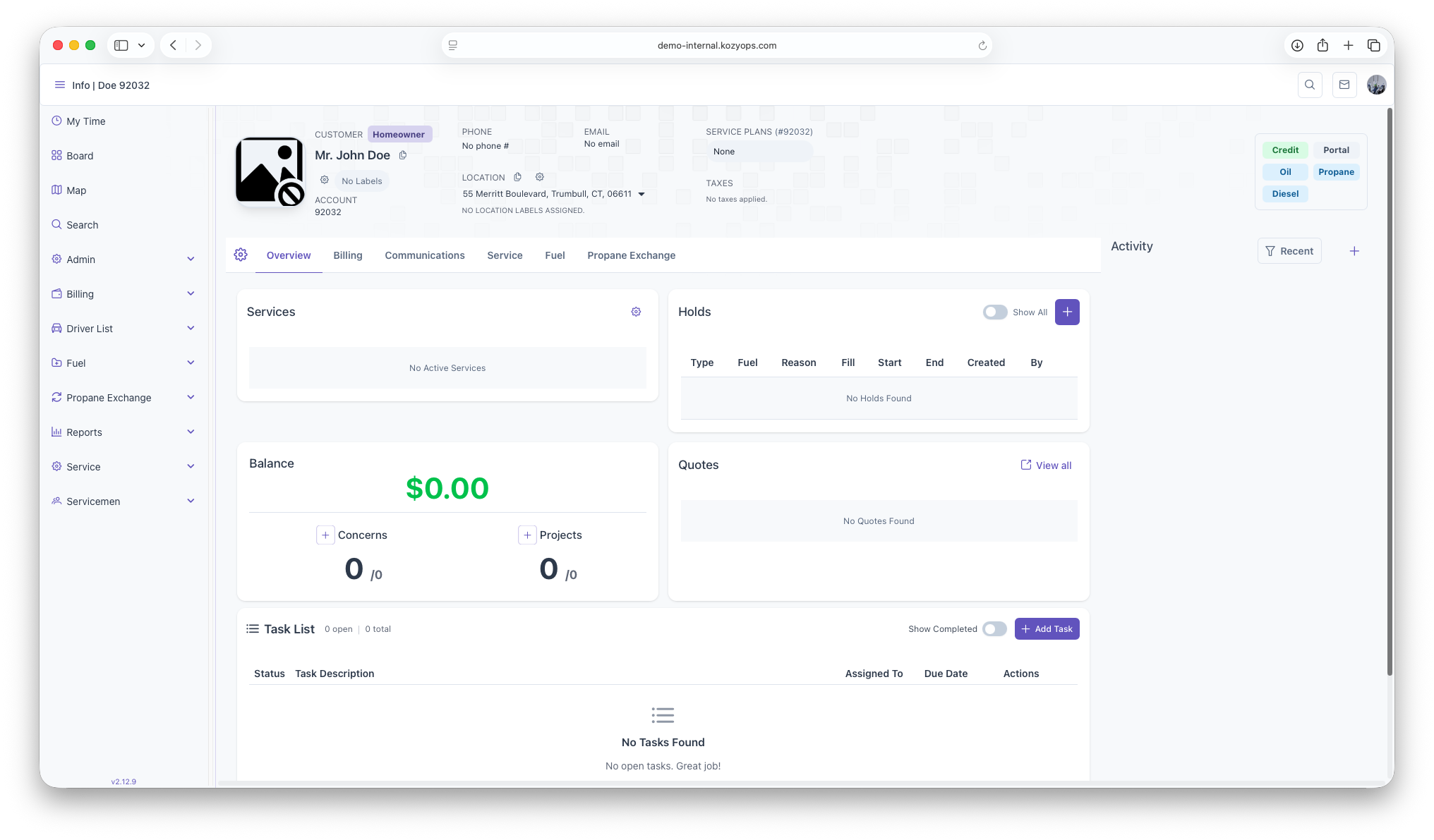
Start on the customer overview page
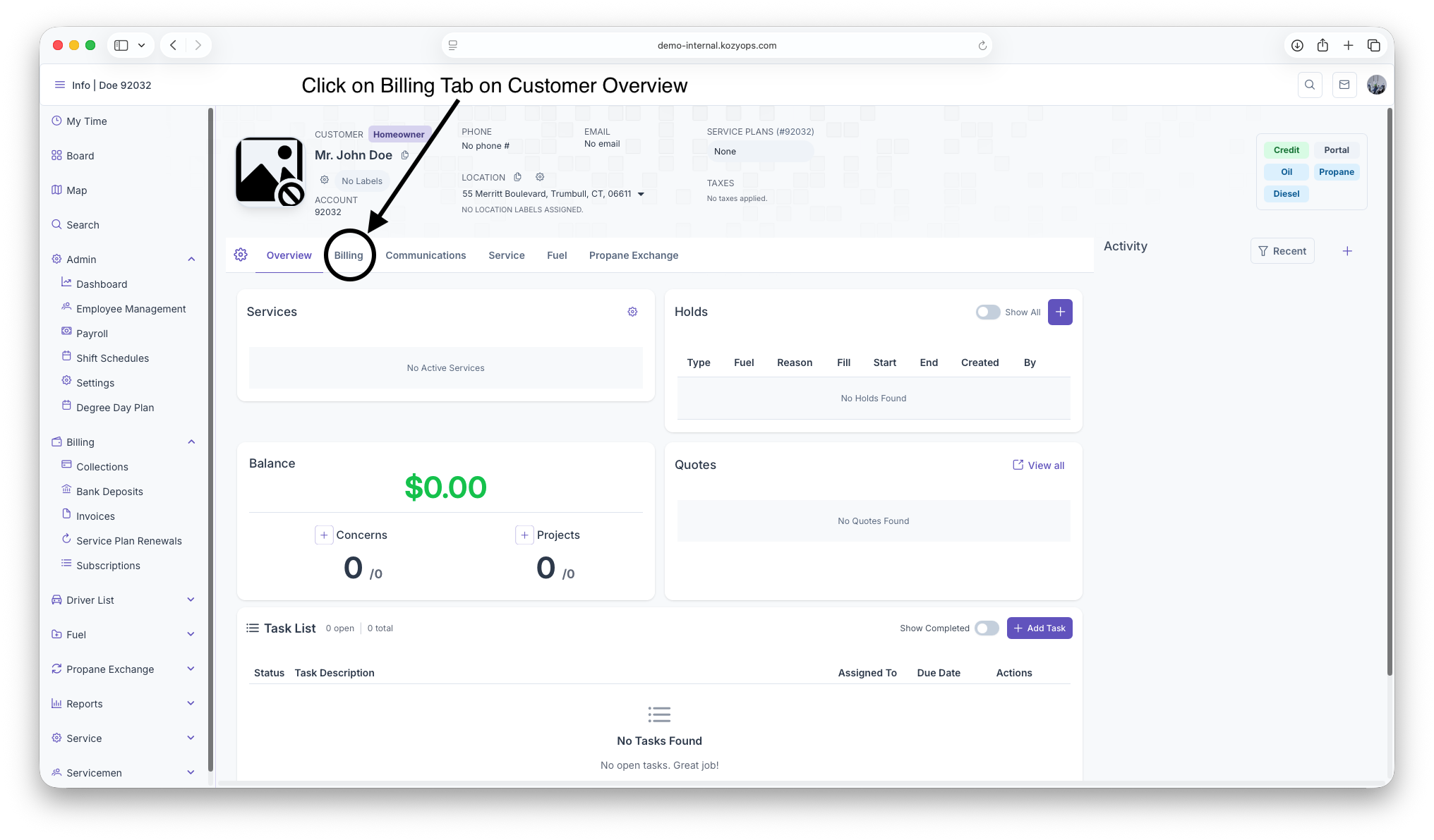
Click on the Billing Tab next to the Overview Tab under Customer header
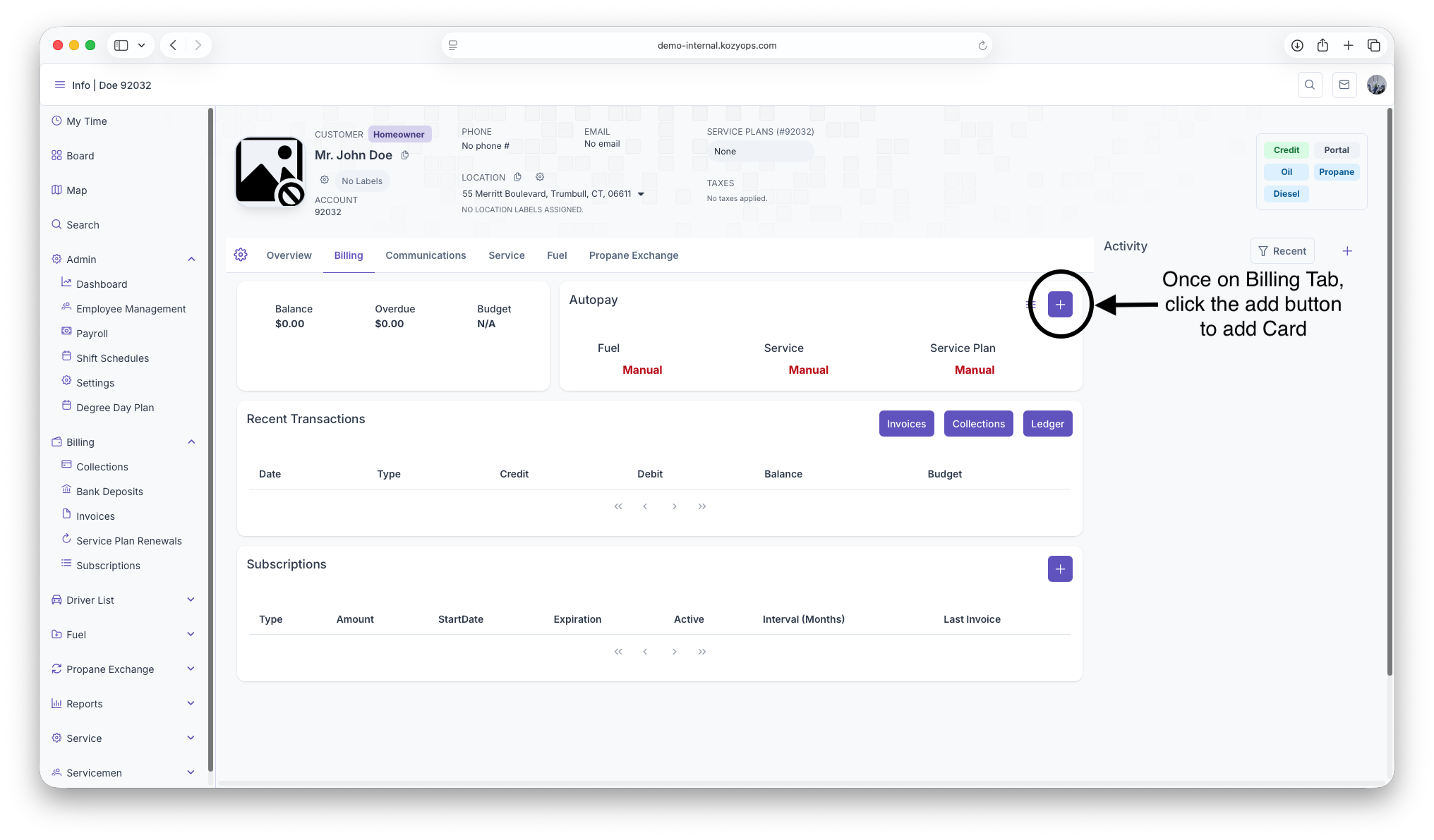
Once on The Billing Page, click on the add button to pull up Credit/Debit form
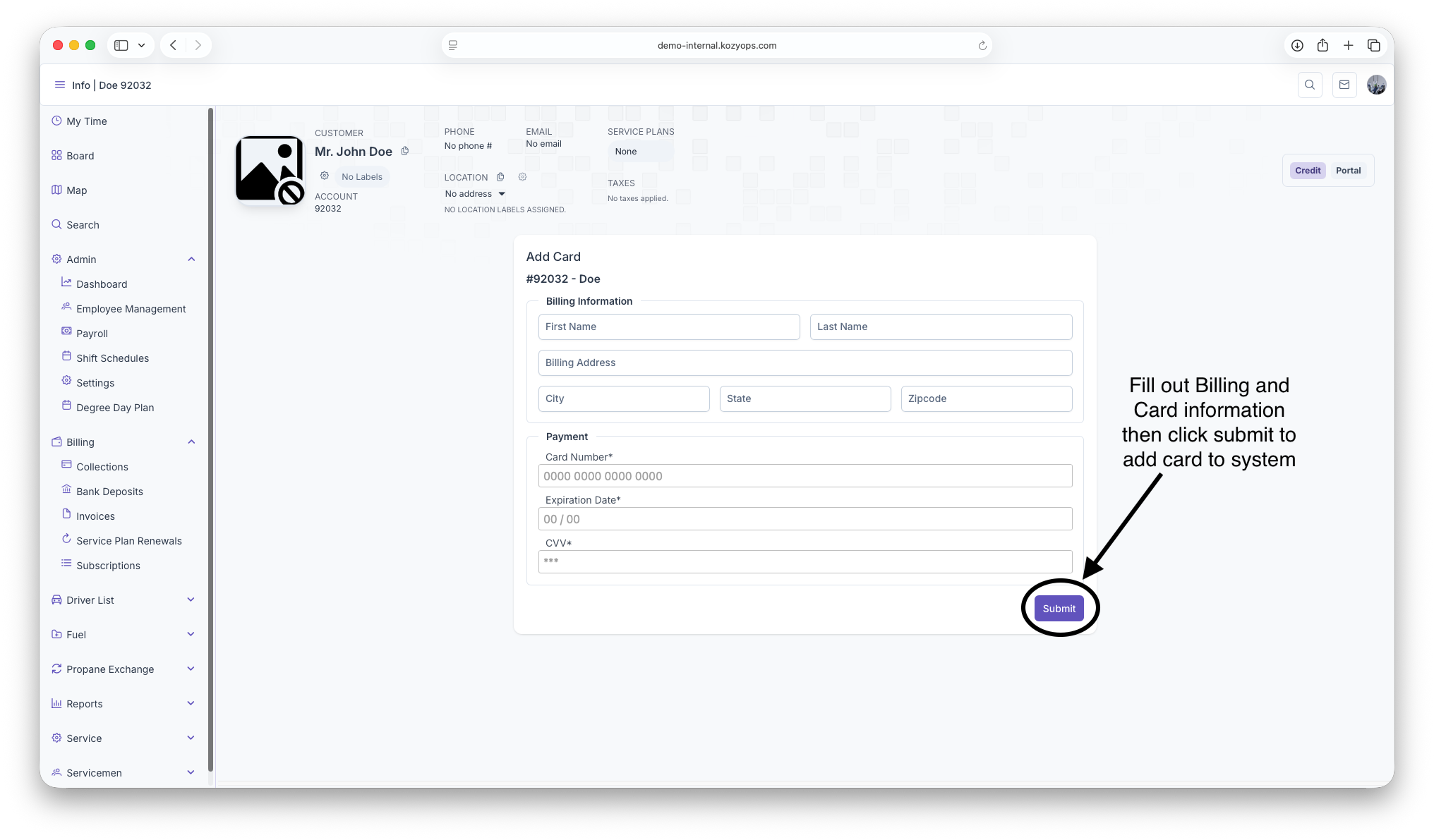
Fillout all Credit/Debit and billing information then click submit to add Card to system