
All Projects
All Projects
The All Projects Report shows all projects that are scheduled to be worked on, are currently being worked on. When reaching All Projects, the page will display the following Totals
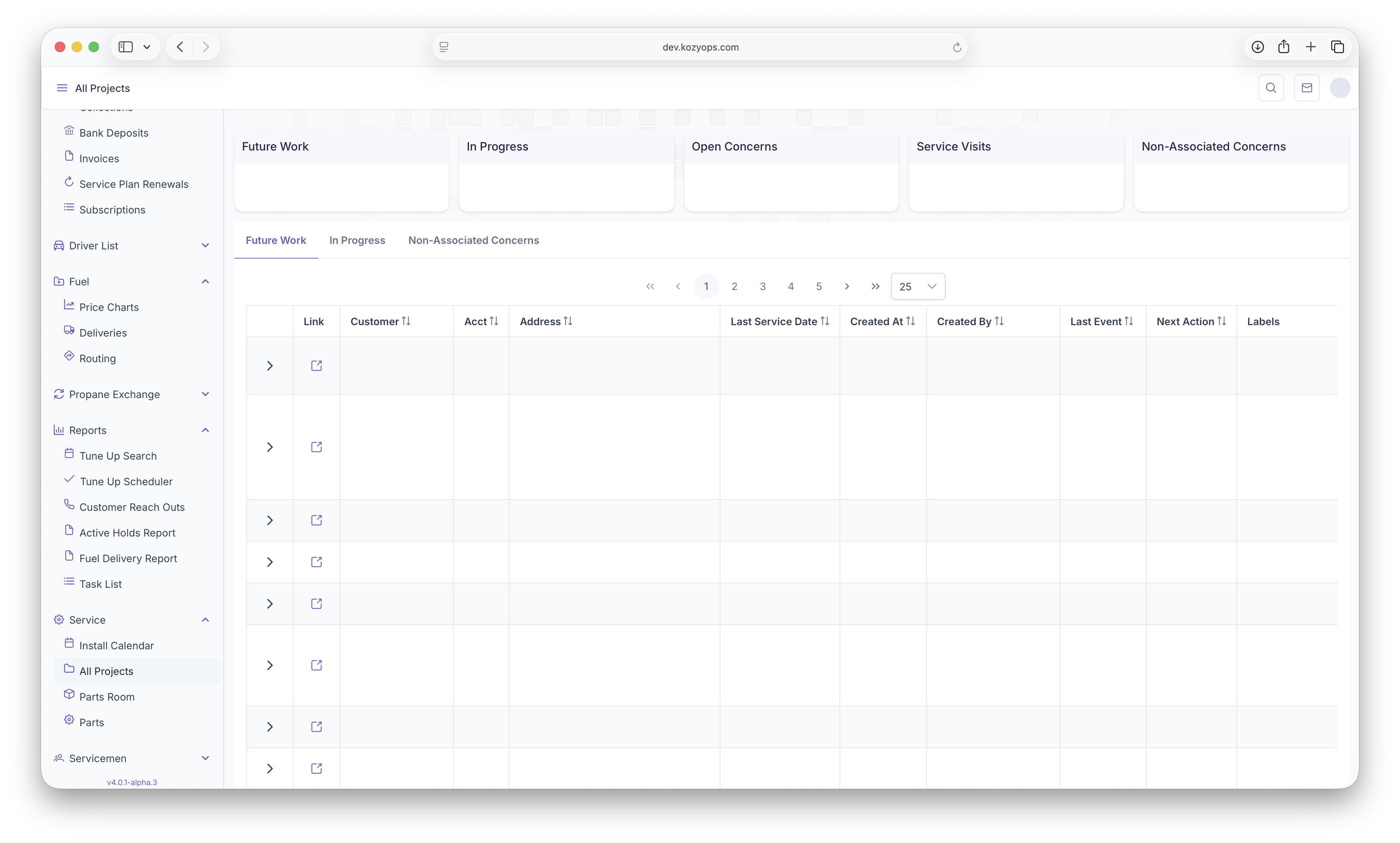
- Future Work - Projects that had yet to be started
- In Progress - Projects that are currently being worked on
- Open Concerns - Concerns that have been created for the customer, but no project created for it yet
- Service Visits - Total Number of Service Visits
- Non-Assciated Concerns -
The page can then be filtered to show specific information by clicking on one of the following tabs
- Future Work - Shows only Projects that need to be worked on
- In Progress - Shows only Projects that are currently in progress
- Non-Associated Concerns
Below that, a table will be generated with each project as a line item with the following columns
- Notes - Clicking on the arrow will bring up notes that are associated with the project selected
- Link - Clicking here will bring up the project page
- Customer Name - The Customers Name
- Account - The Customers Account Number
- Address - The Customers Address
- Last Service Date - The last date a service was provided to the customer
- Created Date - When the Project was created
- Created By - Who the project was created by
- Last Event - The last date that the project was updated
- Next Action - The next date that the project is going to be updated
- Project Labels - Any labels that are associated with the project being worked on
The Report can be sorted by hovering over a category and clicking on the arrow next to it when it appears
No comments to display
No comments to display