
Sales Summary by Product
Sales Summary by Product
The Sales Summary by Product Report shows sales made by each product, including total amount, what each product/service costs and taxes. To reach the Sales Summary by Product page, click on reports on the side menu then click on Sales Summary by Product. Clicking on the three bars on the top left corner of the page will expand the side menu showing more details and making it easier to navigate. The page can be filtered to show specific date ranges as well as by brands. Depending on the selection, the Overall Sales will be displayed which includes, a Subtotal, Tax and an overall total. Fuel Items and Service Items will also generate each showing it's own Subtotal, Tax and overall Total
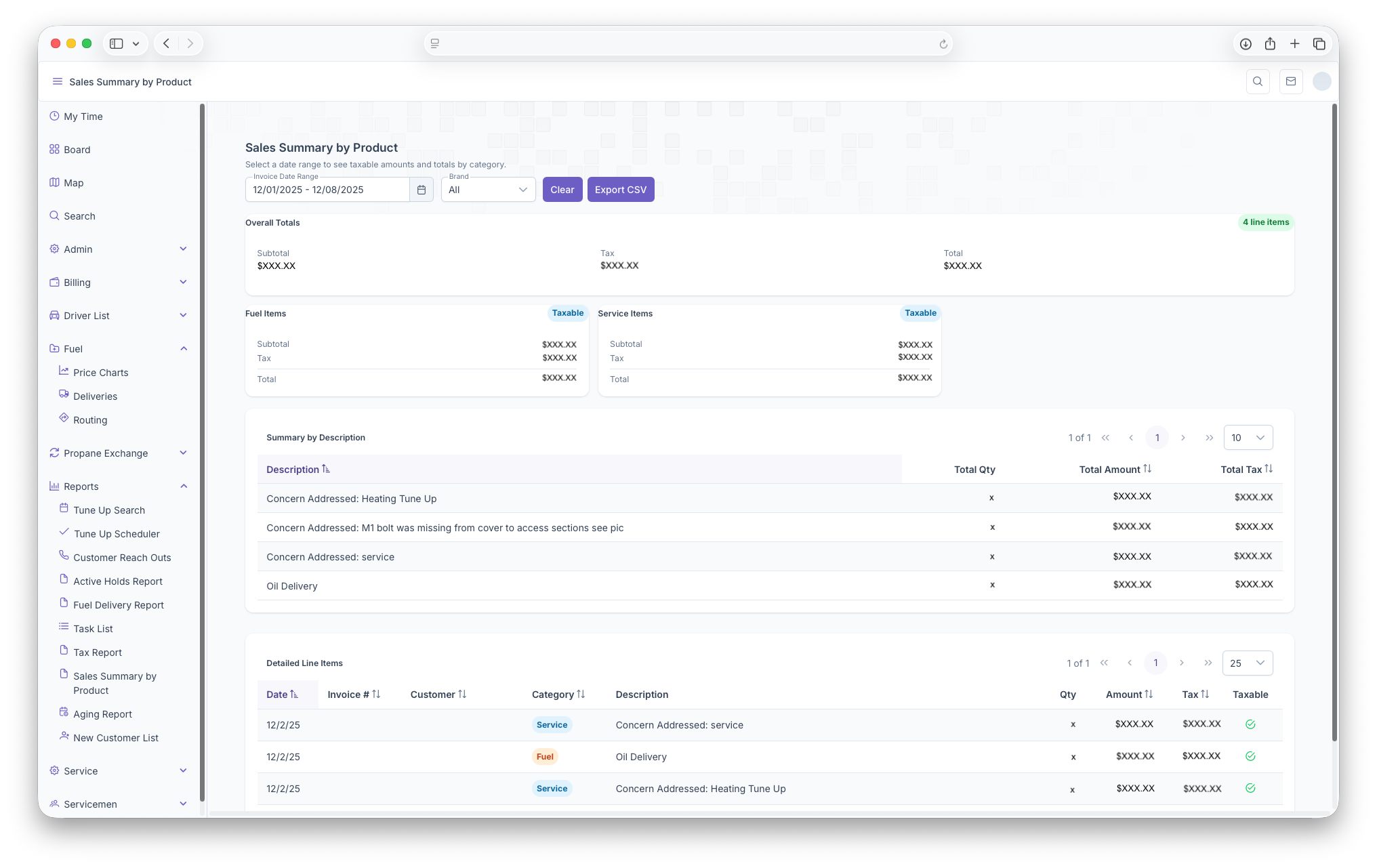
Following that, two tables will be generated as well, the first being a Summary by Description table. The table will generate with each line item being sum of all the same descriptions
- Description - Shows the description of the service
- Total Quantity - The total quantity of the same descriptions
- Total Amount - The total amount for the sum of the descriptions, including taxes
- Tax - The Tax on the sum of the descriptions
The Second table is the Detailed Line Items which shows all invoices as lines items with the following columsn
- Date - The date of the Invoice
- Invoice Number - The Invoice Number
- Customer - The Name of The Customer
- Category - The type of service provided for the customer
- Decription - Shows the description of the service provided for the Customer
- Quantity - The Quantity of the service provided
- Amount - The amount that the service cost
- Tax - The tax on the service
- Taxable - Whether the service proved was taxable
No comments to display
No comments to display