
Aging Report
Aging Report
The Aging Report allows unpaid balances to be monitored through age and account status'. The page can be pulled up by clicking on the reports tab on the side bar and clicking on the Aging Report. The side menu can be expanded by clicking on the three lines on the top left corner of the page for easier readingmenu of the menu.access. Once pulled up, you can see the total balance for all accounts,accounts will be shown. The balances are then seperatedbroken down By Account Status and By Age for the customers in balancesthe byfollowing
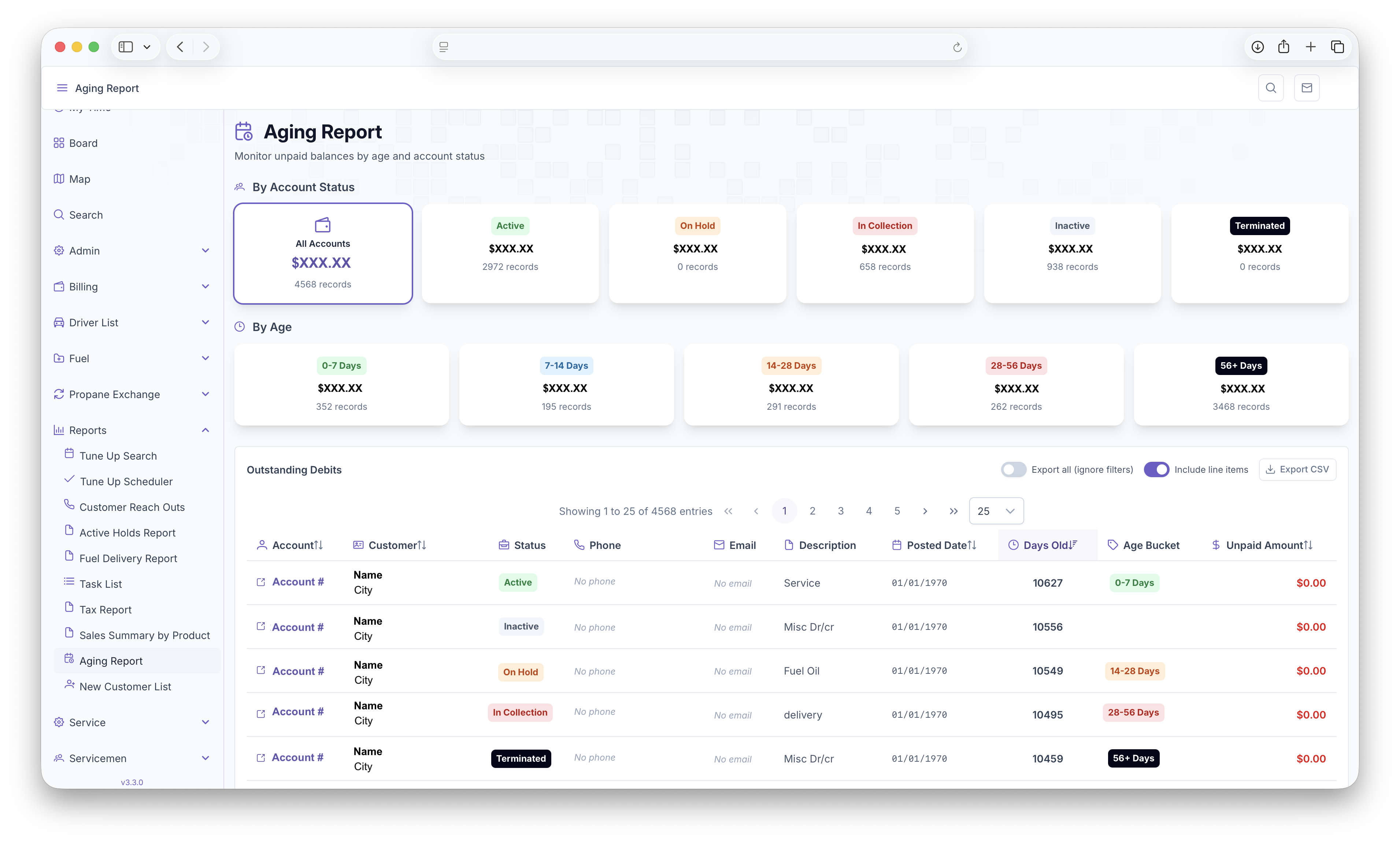
By Account
By Age
Below that, a table will be generated with each customer as a line item with the following columns
The table can alsobe befiltered by clicking on a balance under by Account Status or By Age. The table will then only show customers who fall within the selected balance. The page can then exported into document format for easyeasier printing or sharing by clicking on the Export CSV andButton. selectingEither weatherthe toselected Export all and weatherbalance or noteverything tocan includebe lineexported itemsby clicking toggling "Export all." The exported page can also display Line Items by toggling "Include Line Items."