
Installing Blue Tooth Device
Introduction
This sections covers the installation of the blue tooth adaptor used to transmit data to The Kozy Mobile App.
Blue Tooth Adaptor
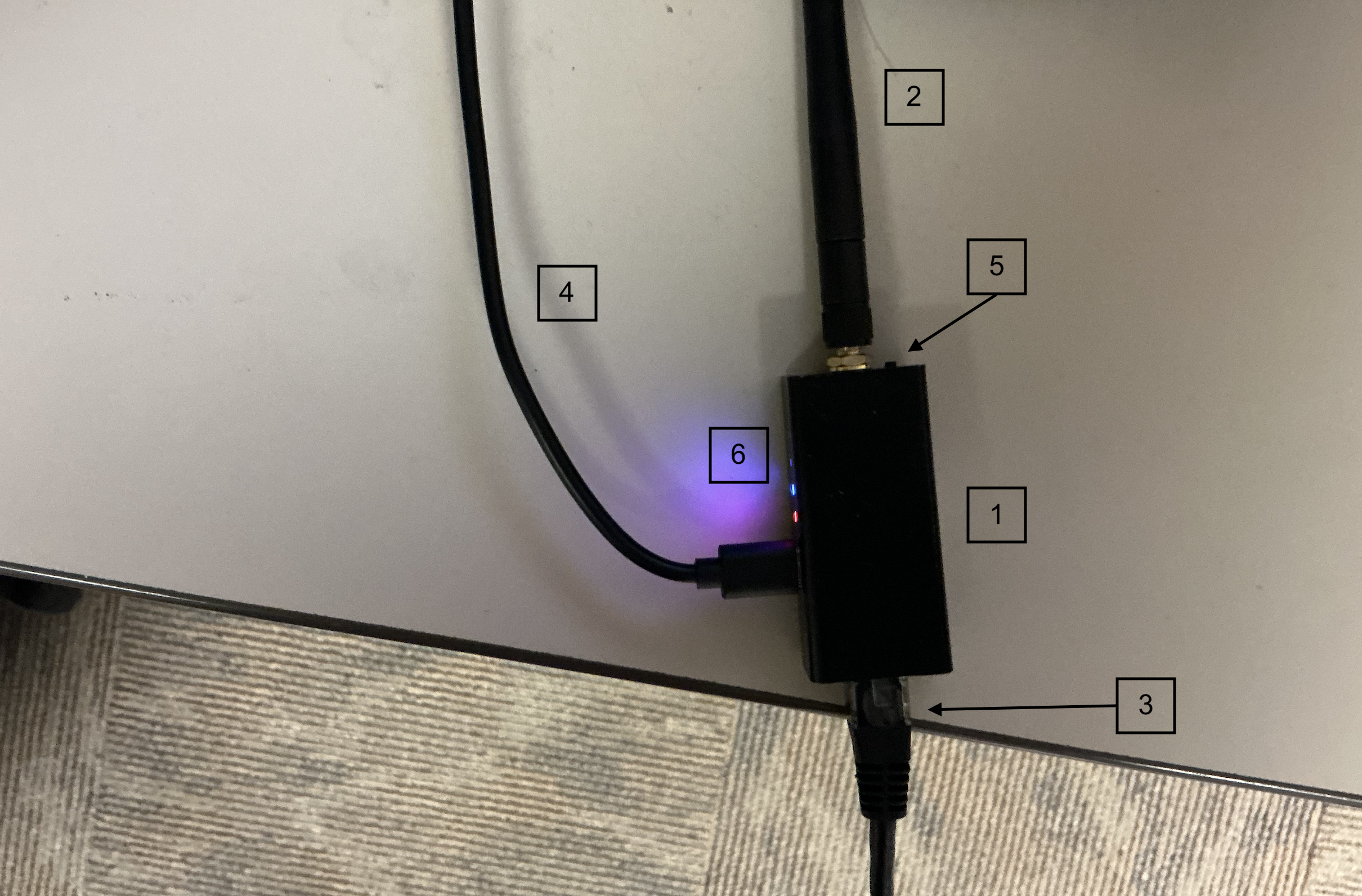
The Blue Tooth adaptor is the is the device that is primarily used to transmit data from the meter to the Mobile Kozy App, which then transmits the data to the Kozyops website
-
Blue Tooth Adaptor
-
Antenna, comes with the device
-
Cable Adaptor, comes with the device
-
USB Charger, does not come with device
-
Device Reset Button
-
Indication lights
- Red - Charging
- Blue - Blue Tooth is working
- Green - Blue Tooth is connected
Installation
Meters are typically connected to printers using a DB-25 cable, but with the use of a lapad cable, the meter can be connected to both a printer and the Blue Tooth Adaptor used to transmit data to the Kozy Mobile App. Installation is simple and should only take a short time to install on each truck. In the case of a meter needing more configurations, an in depth look will be on the ... page. The Lapad cable itself is essentially a y cable with two cables being a female and male DB-25 Cable with the other wire used to connect to the Blue Tooth Adaptor. The connection can be made using the wire adaptor that is provided along with the Blue Tooth Adaptor.
- Setting up the Meter
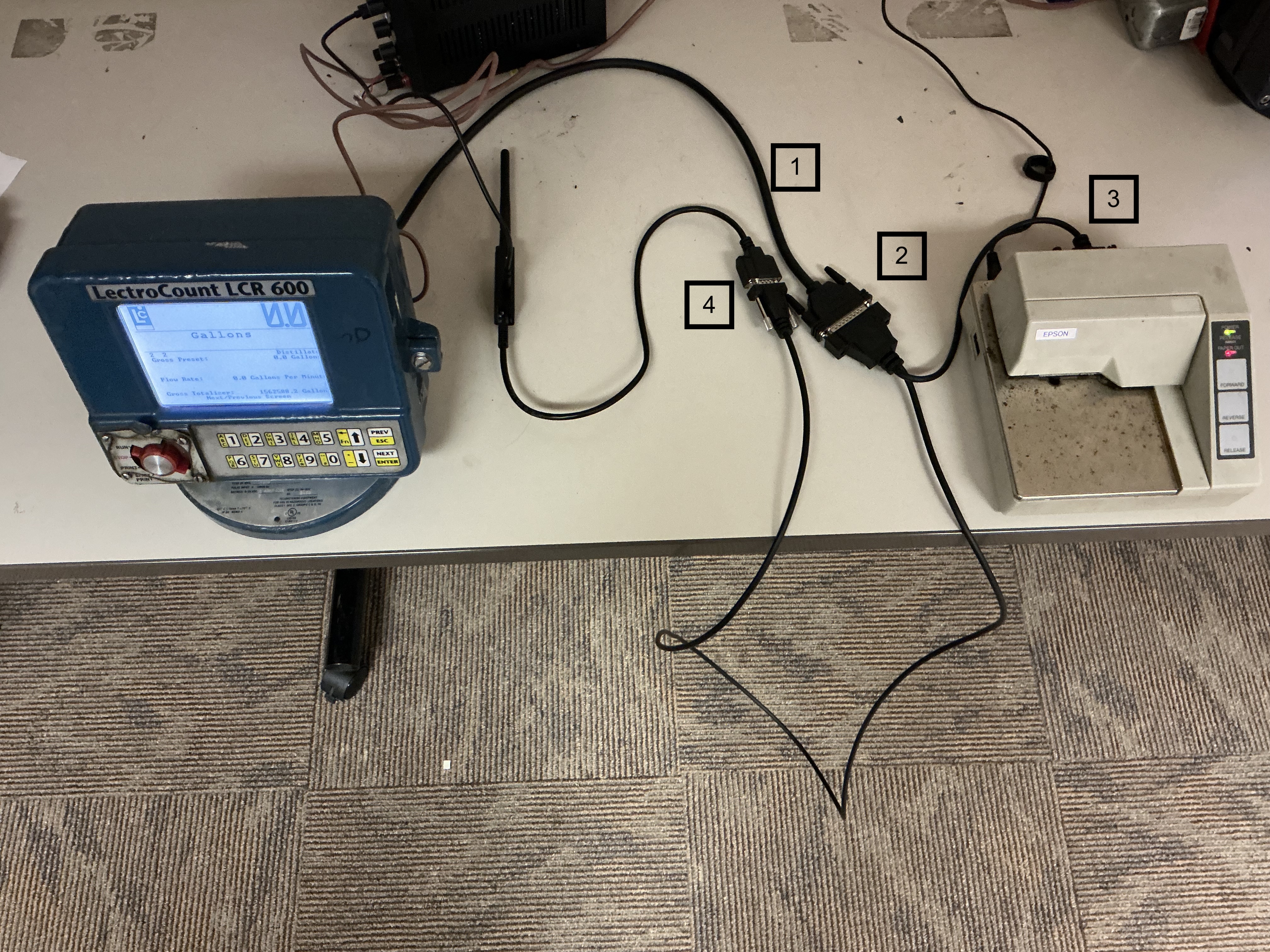
- Remove the DB-25 Cable from the Printer
- Using the Lapad Cable, connect the female end of the Y cable into the male end of the DB-25 cable coming out of the Meter
- Next, connect the lapad cable to the printer using the male end that looks like the DB-25 Cable
- Now connect the remaining cable into the cable adaptor that came with the Blue Tooth Adaptor
- Setting up The Blue Tooth Adaptor
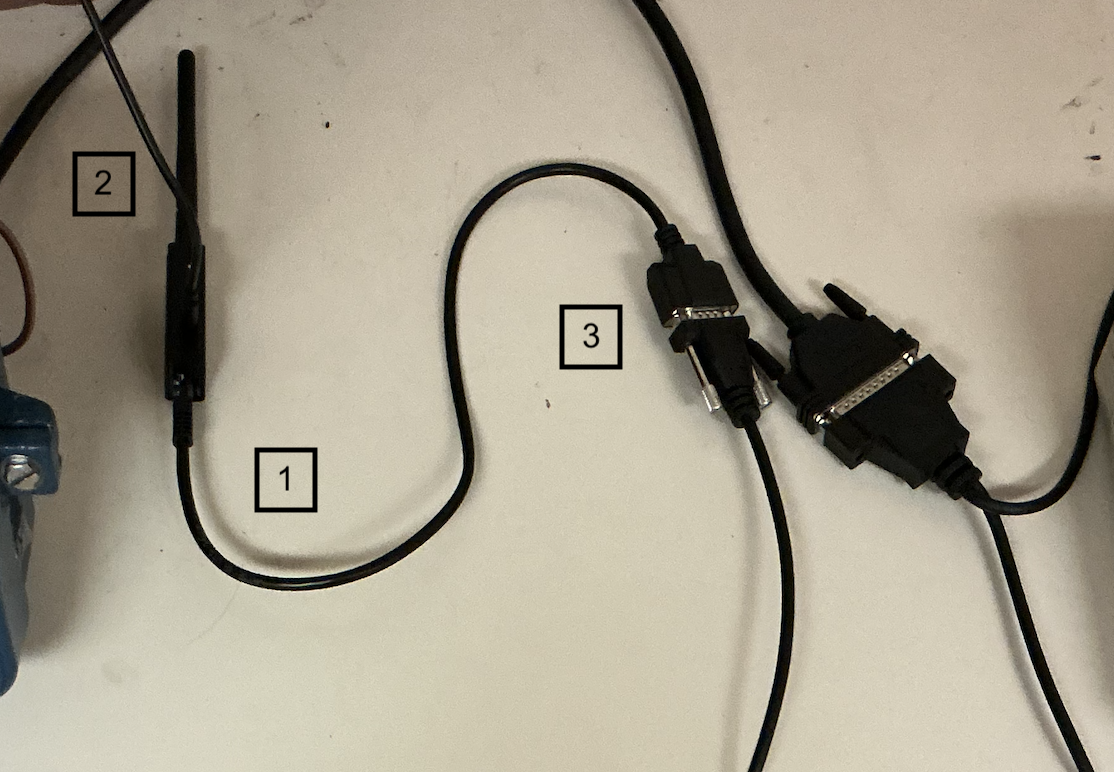
- Using the provided cable, connect the end that looks like an ethernet cable to the end of the Blue Tooth Adaptor that looks like an ethernet port (WARNING! DO PLUG AN ETHERNET CABLE TO ADAPTOR OR ANYTHING ELSE, JUST THE PROVIDED CABLE)
- Next, plug in the Blue Tooth Adaptor using a USB-C cable to provide power
- Using the other end of the cable proved, connect the cable to the Lapad cable mentioned above
Once all set, The Meter, Printer and Blue Tooth Device should all be connected and ready for use with the Kozy Mobile App. It should look like this
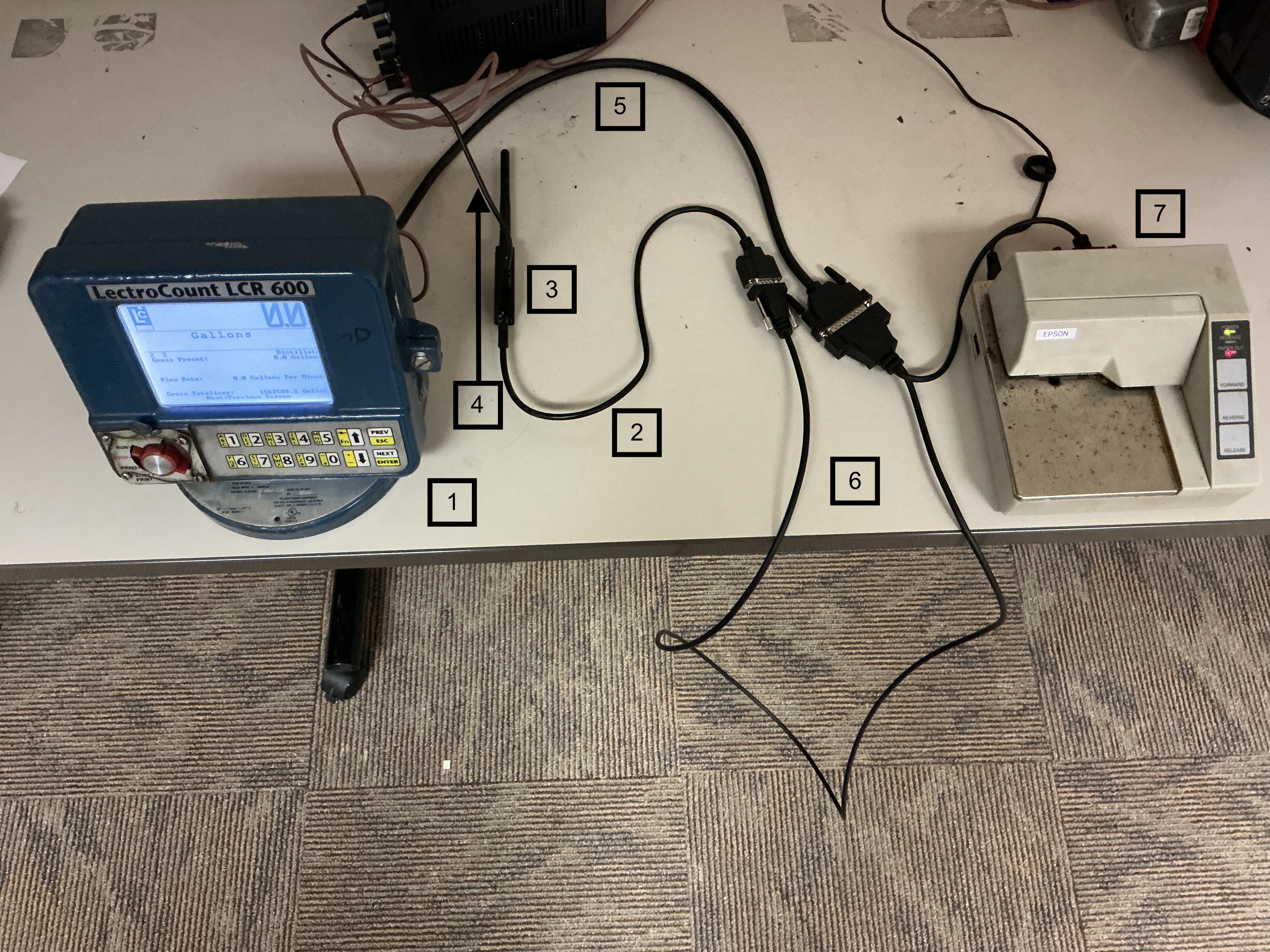
- Meter
- Cable Adaptor
- Blue Tooth Adaptor
- USB Power Cable
- DB-25 Cable
- Lapad Y Cable
- Printer
Trouble Shooting
When set up, the blue light on the Blue Tooth Adaptor should be flashing 4 times to show that it is working. If the adaptor doesn't flash 4 times, double click on the Device Reset Button until it does. See