Adding Fuel Delivery Request from Customer Profile
1. From the Search enter detail to locate customer (IE Name, address, account number, etc).
2. Select the customer making the fuel request.
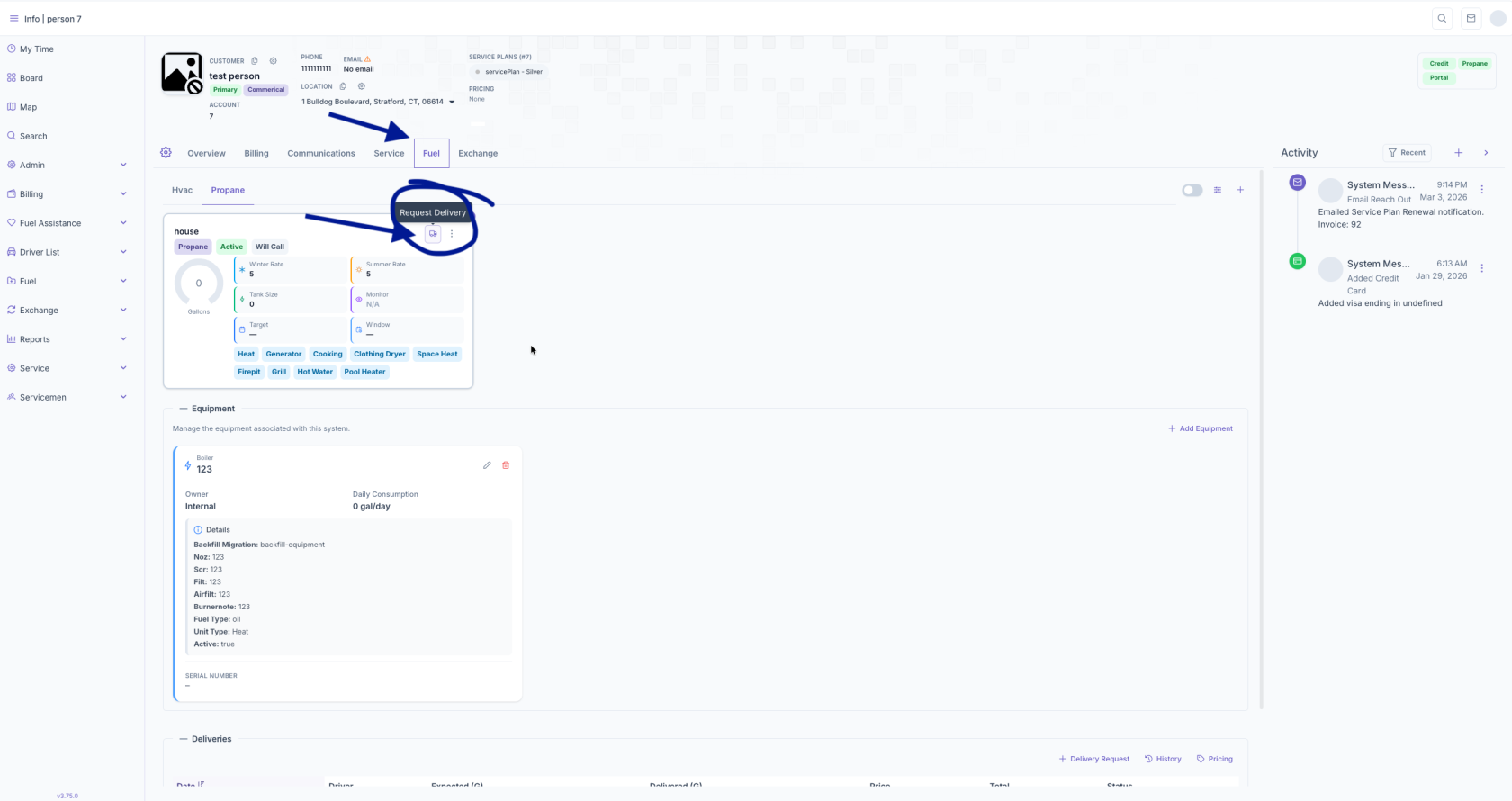
3. Select the Fuel tab.
4. Select the little truck symbol next to on their system to start the Delivery Request
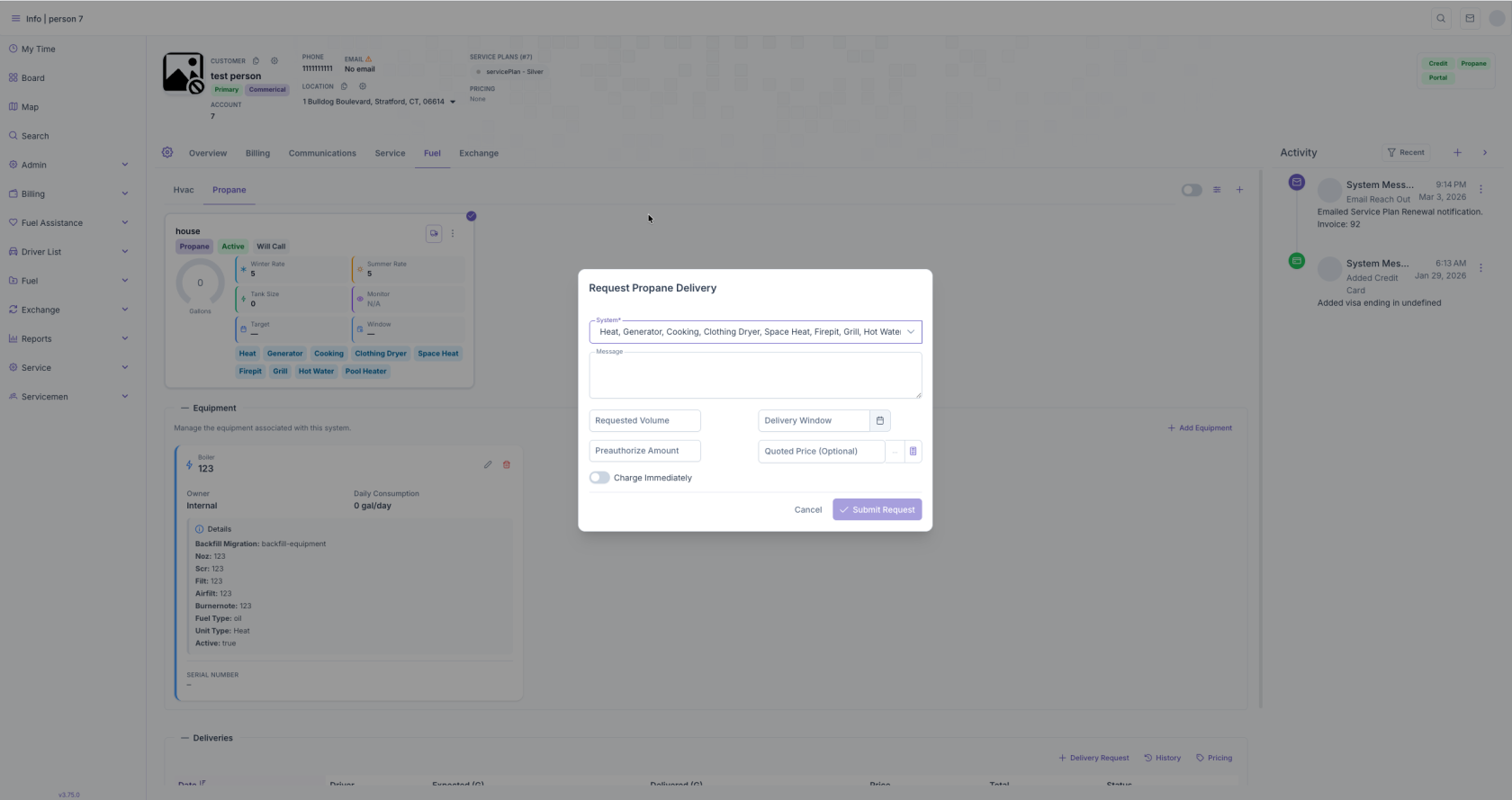
5. Ensure you selected the right system in the dropdown and enter requested volume and Delivery window. Preauthorized amount and quoted price are optional. Charge immediately should be turned on if they have a stored Credit Card on file they wish to charge after delivery is completed. Once you submit request it will appear on the Fuel Routing screen under Requests.