Adding Card
This Guide walks you through adding credit or debitCredit/Debit card information on account
Prerequisites
Step-by-Step
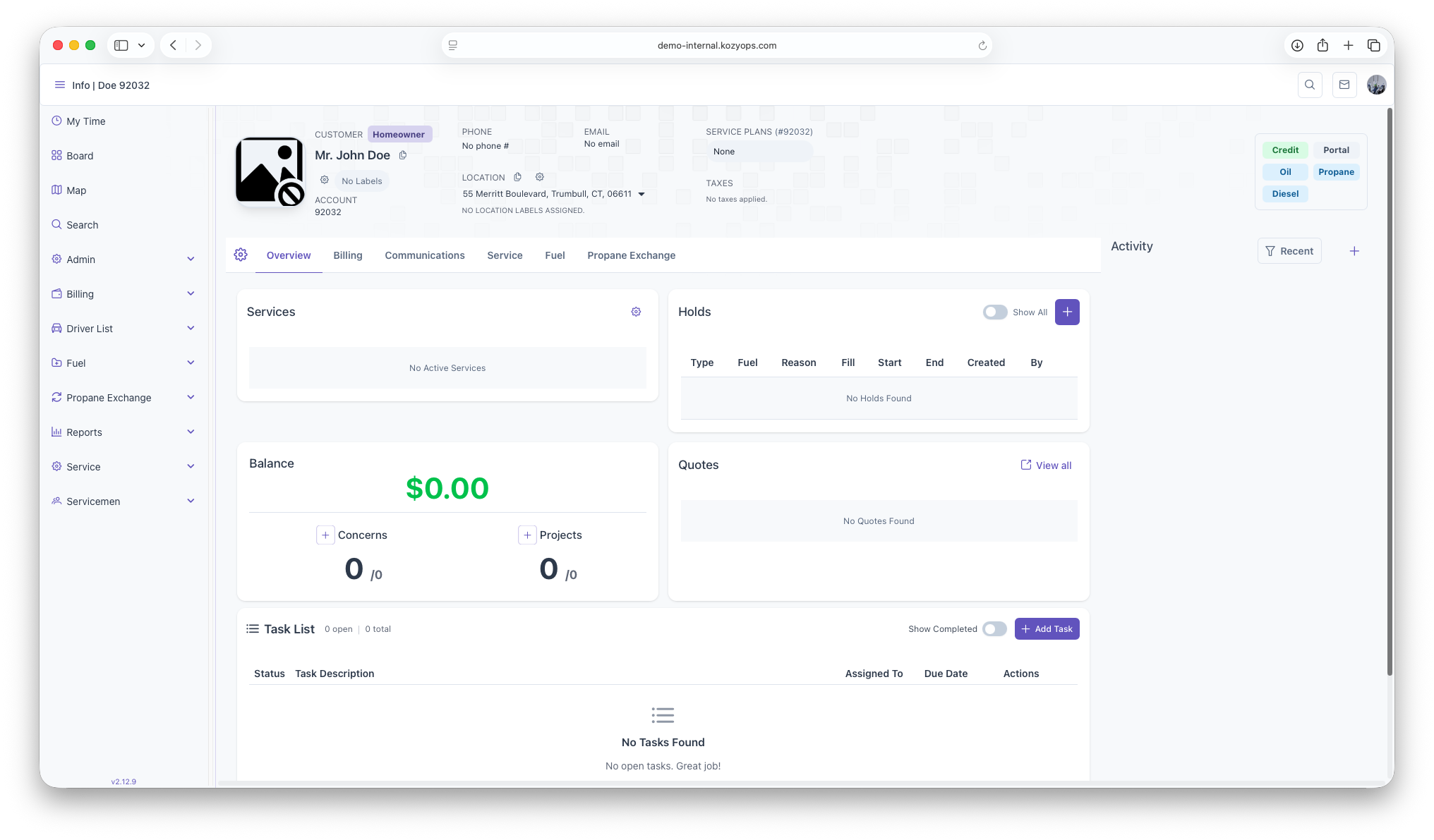
Start on the customer overview page
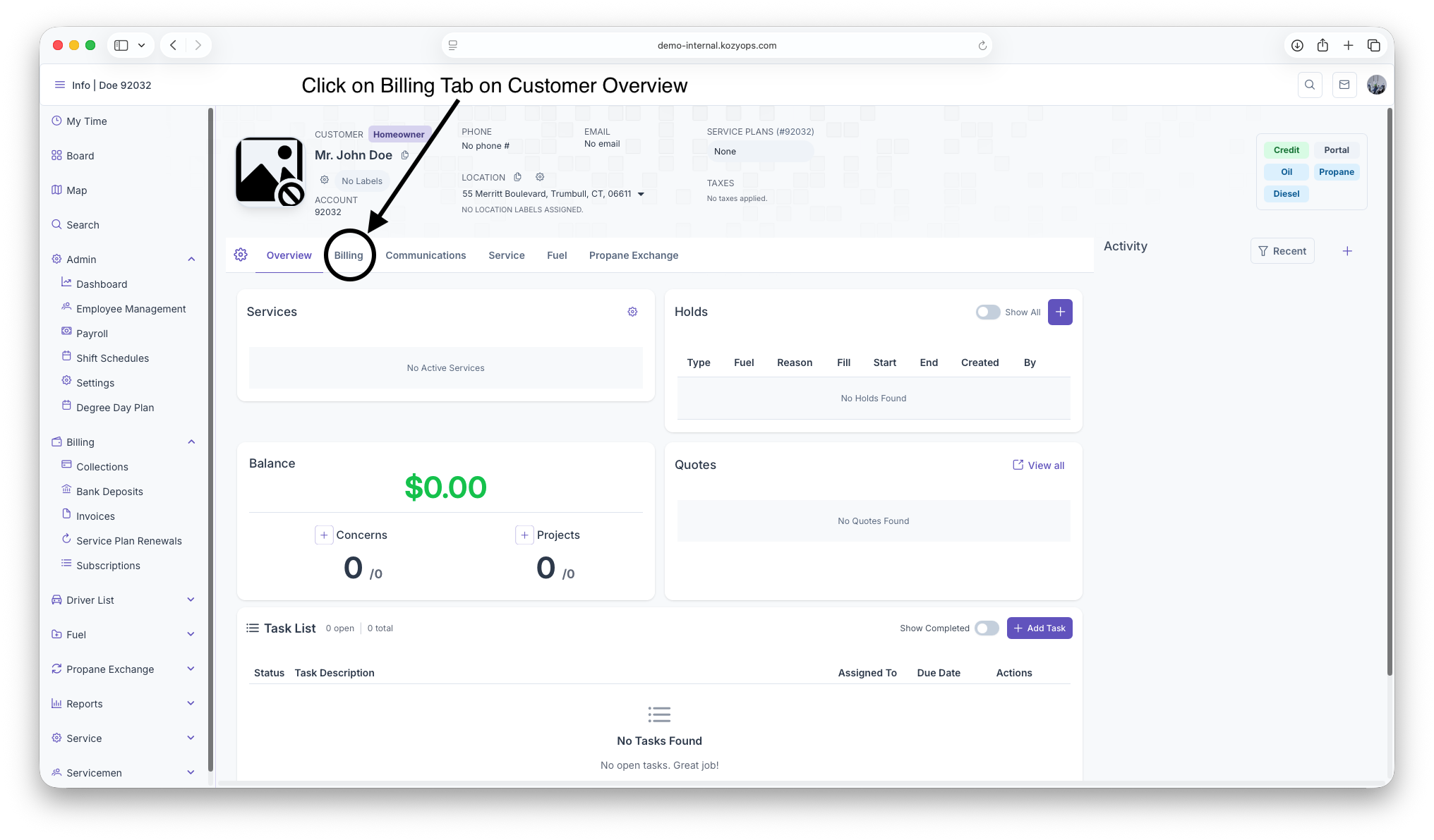
Click on the Billing Tab next to the Overview Tab under Customer header
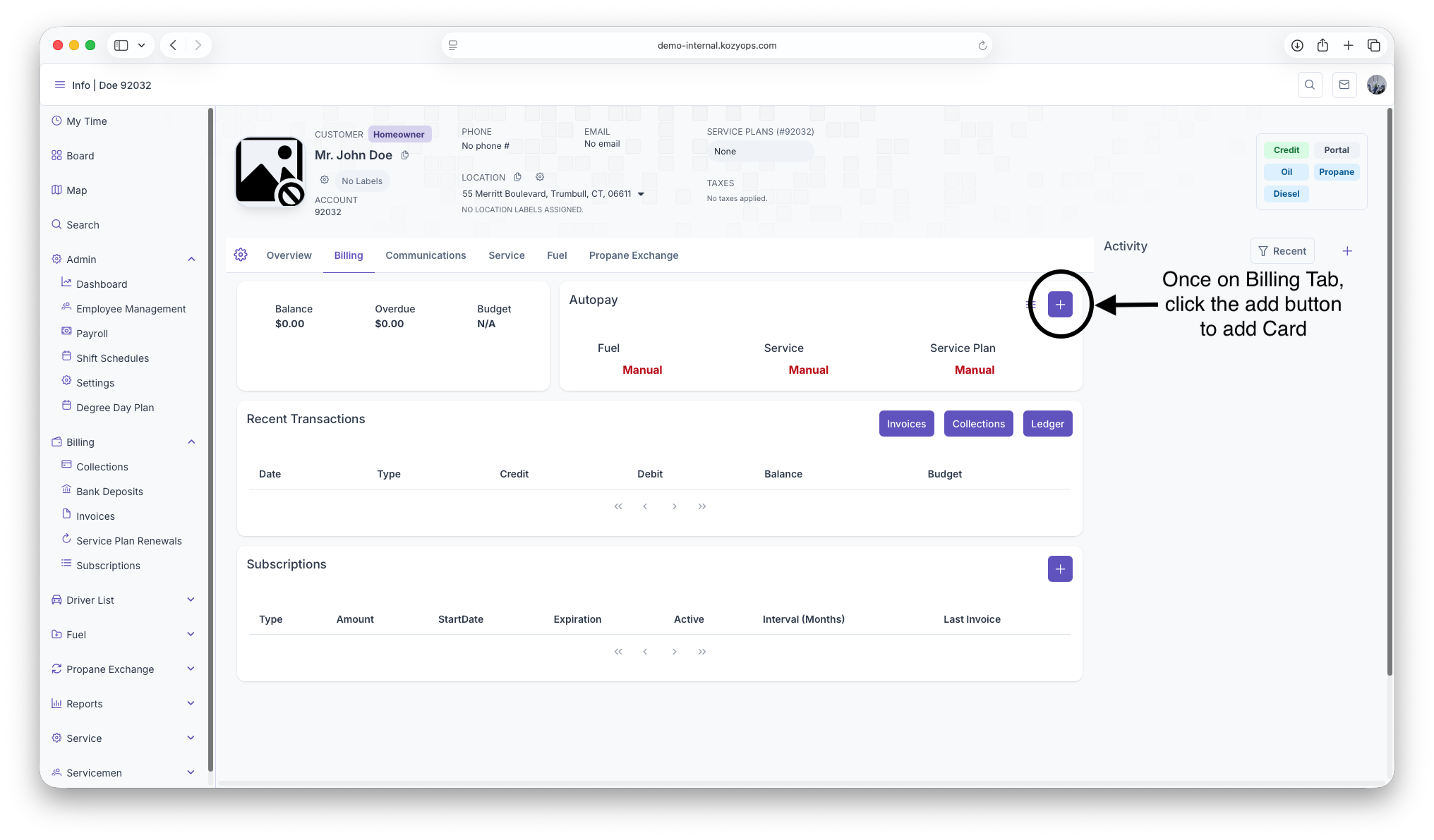
Once on The Billing Page, click on the add button to pull up Credit/Debit form
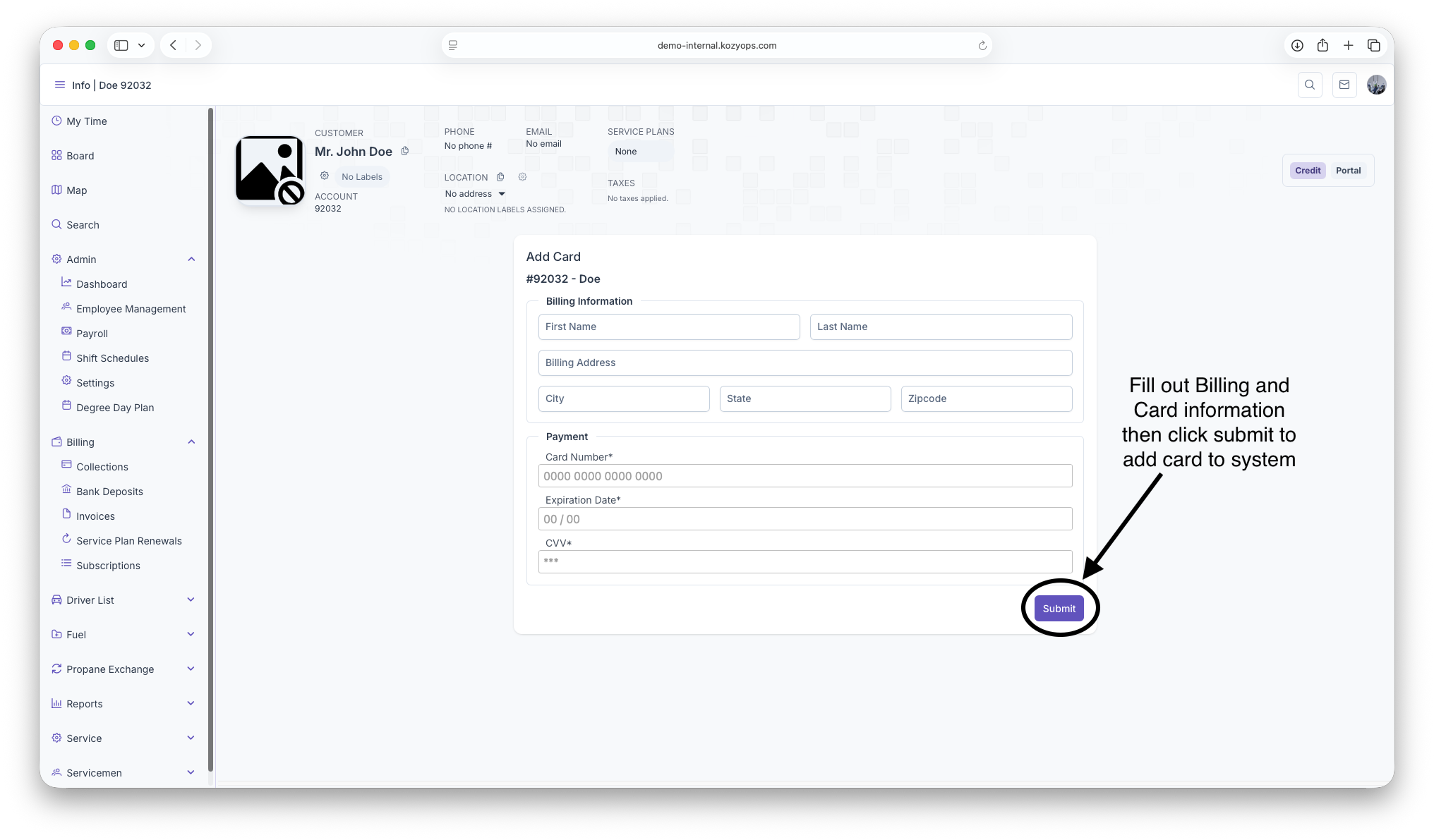
Fillout all Credit/Debit and billing information then click submit to add Card to system