Adding Card
This Guide walks you through adding Credit/Debit card information on account
Prerequisites
- Customer must exist and have access to customer account
- Have all credit/debit card and customer billing information
Step-by-Step
-
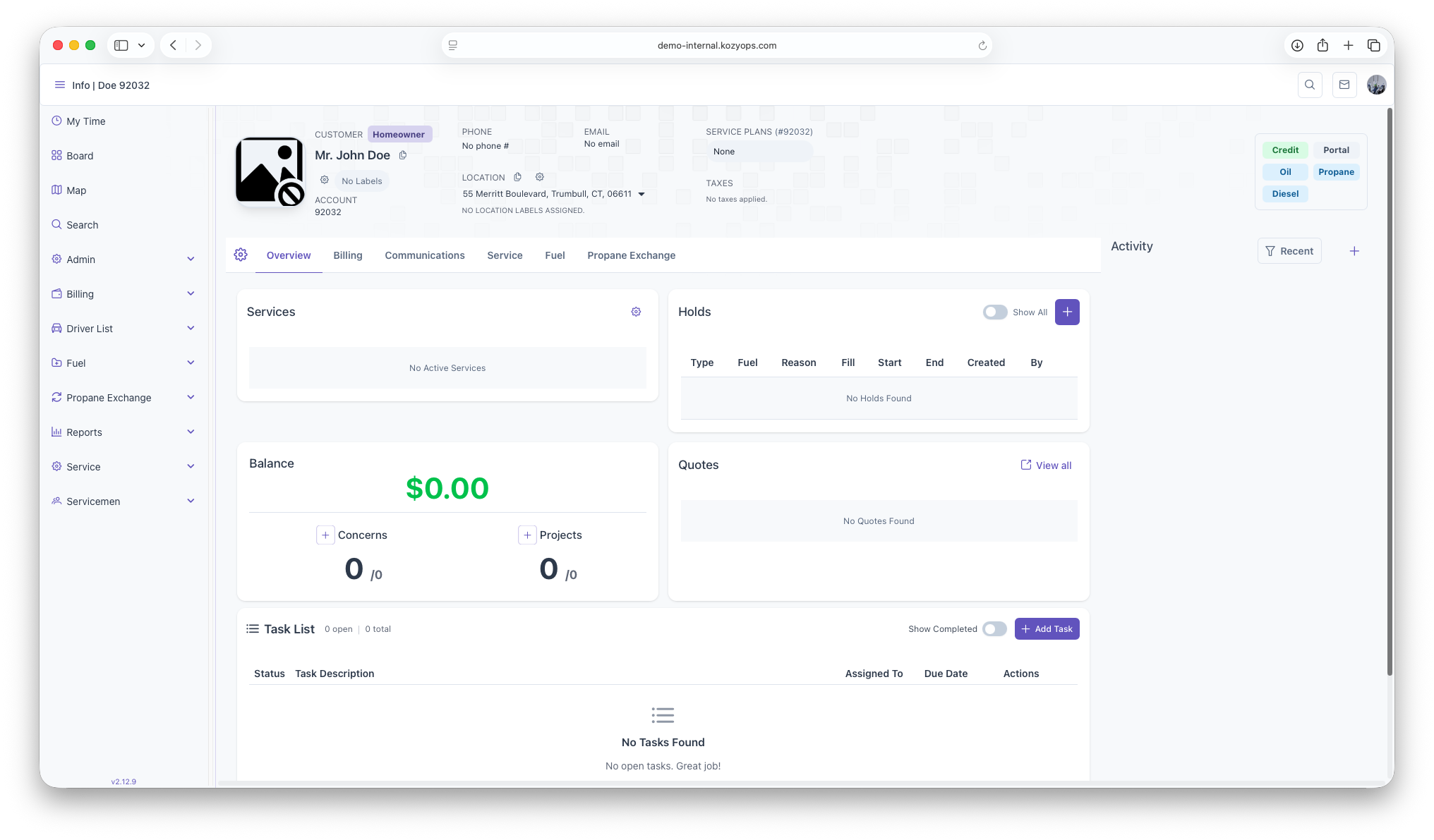
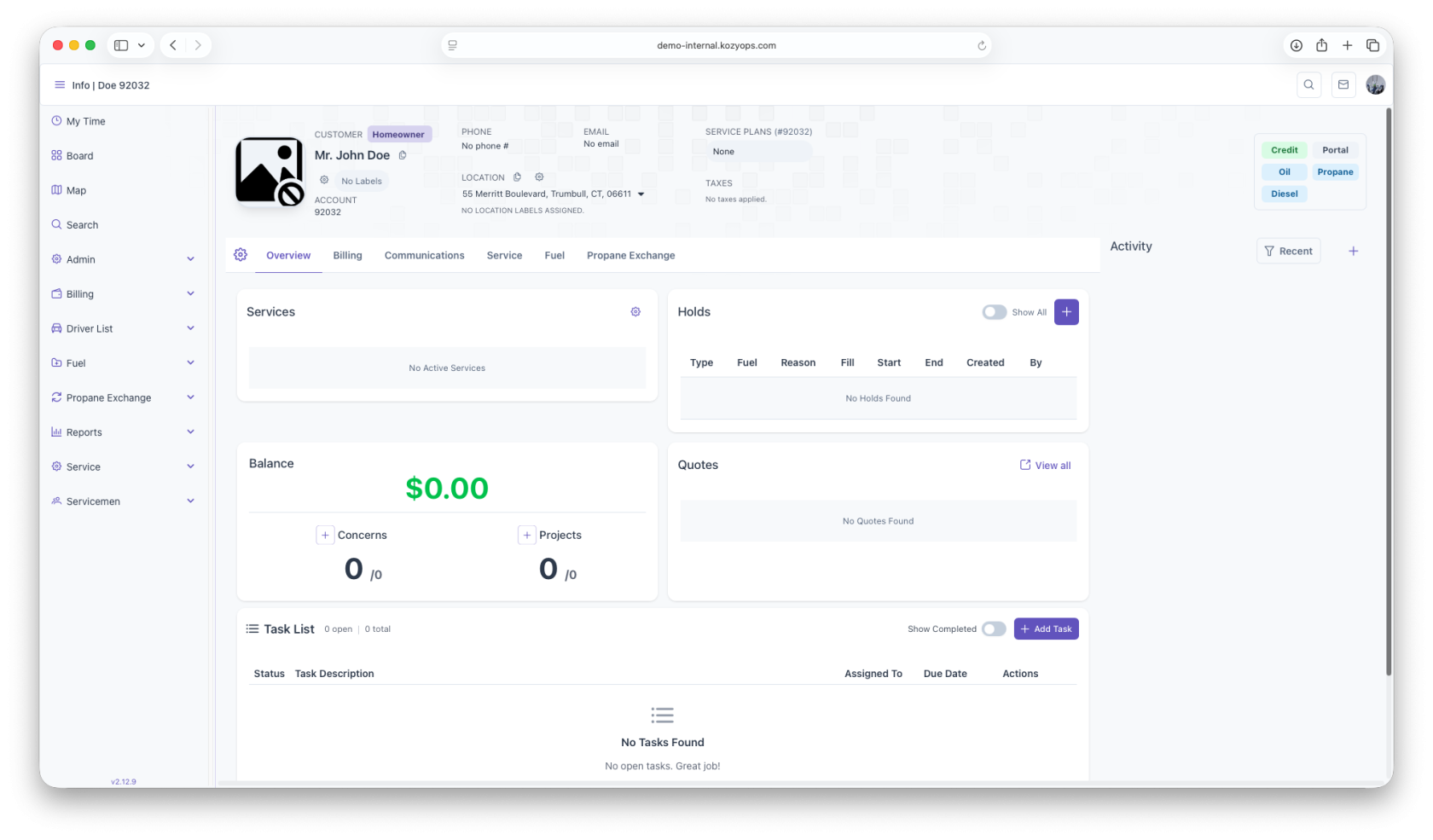
Start on the customer overview page
-
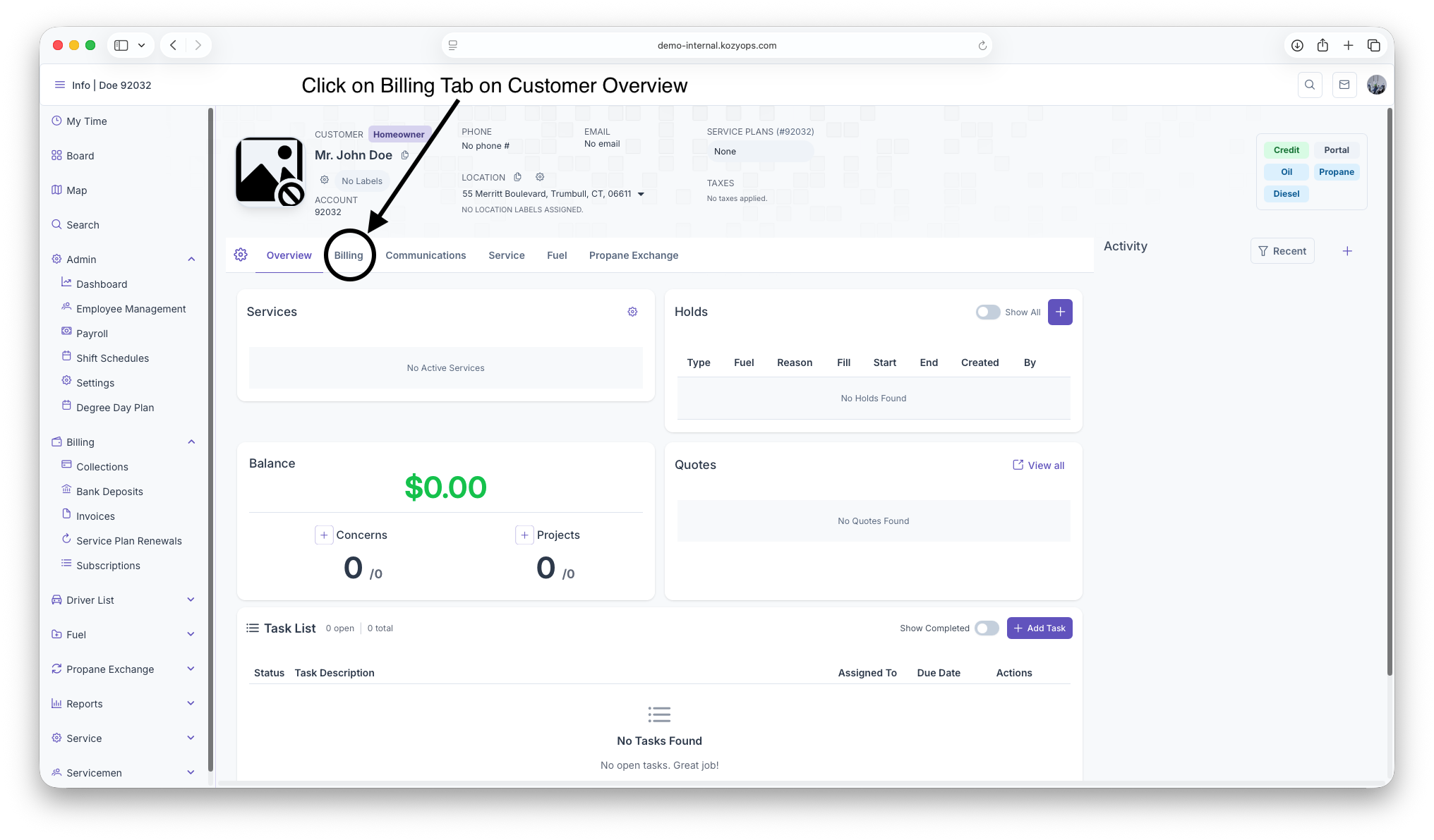
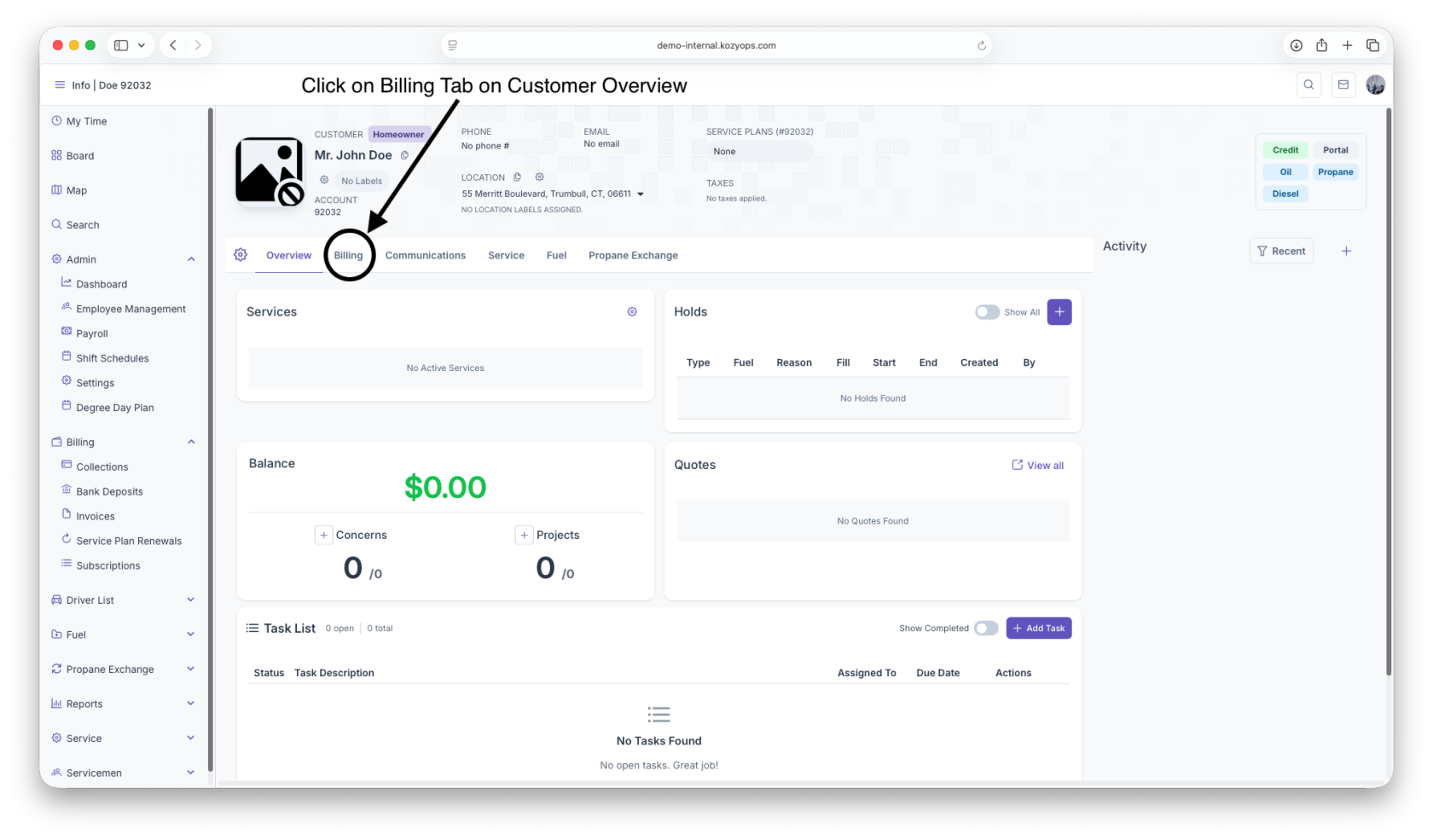
Click on the Billing Tab next to the Overview Tab under Customer header
-
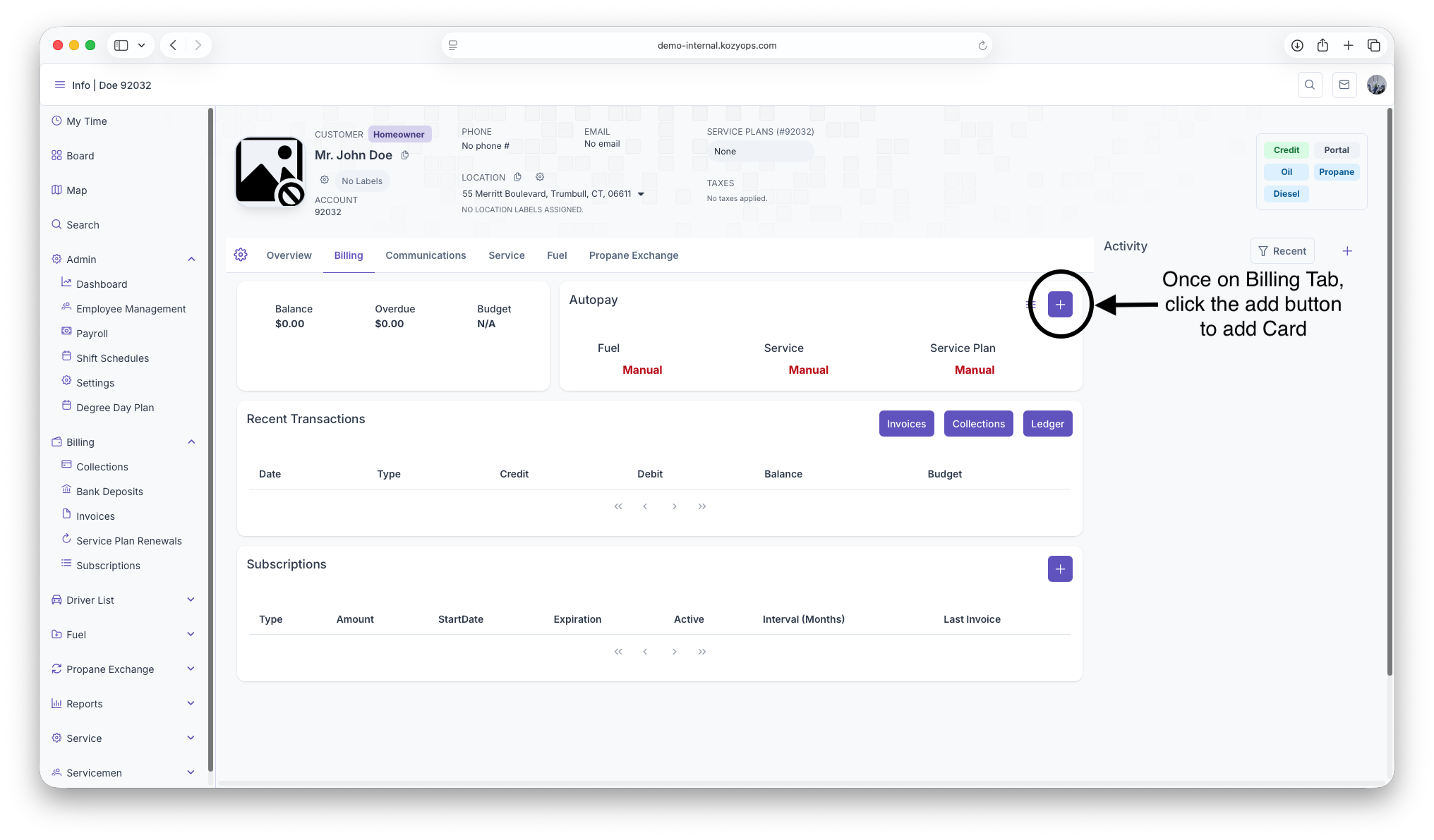
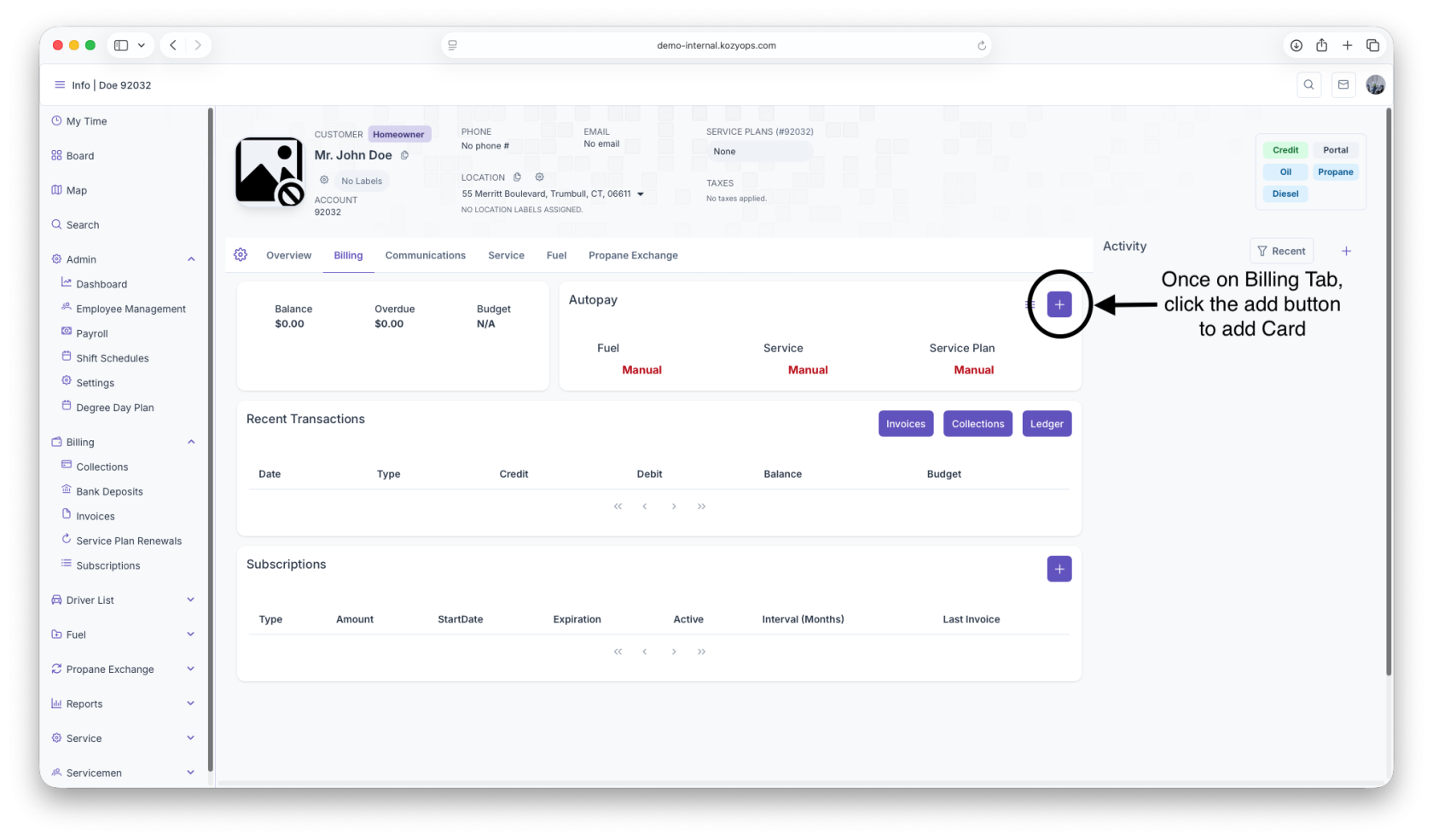
Once on The Billing Page, click on the add button to pull up Credit/Debit form
-
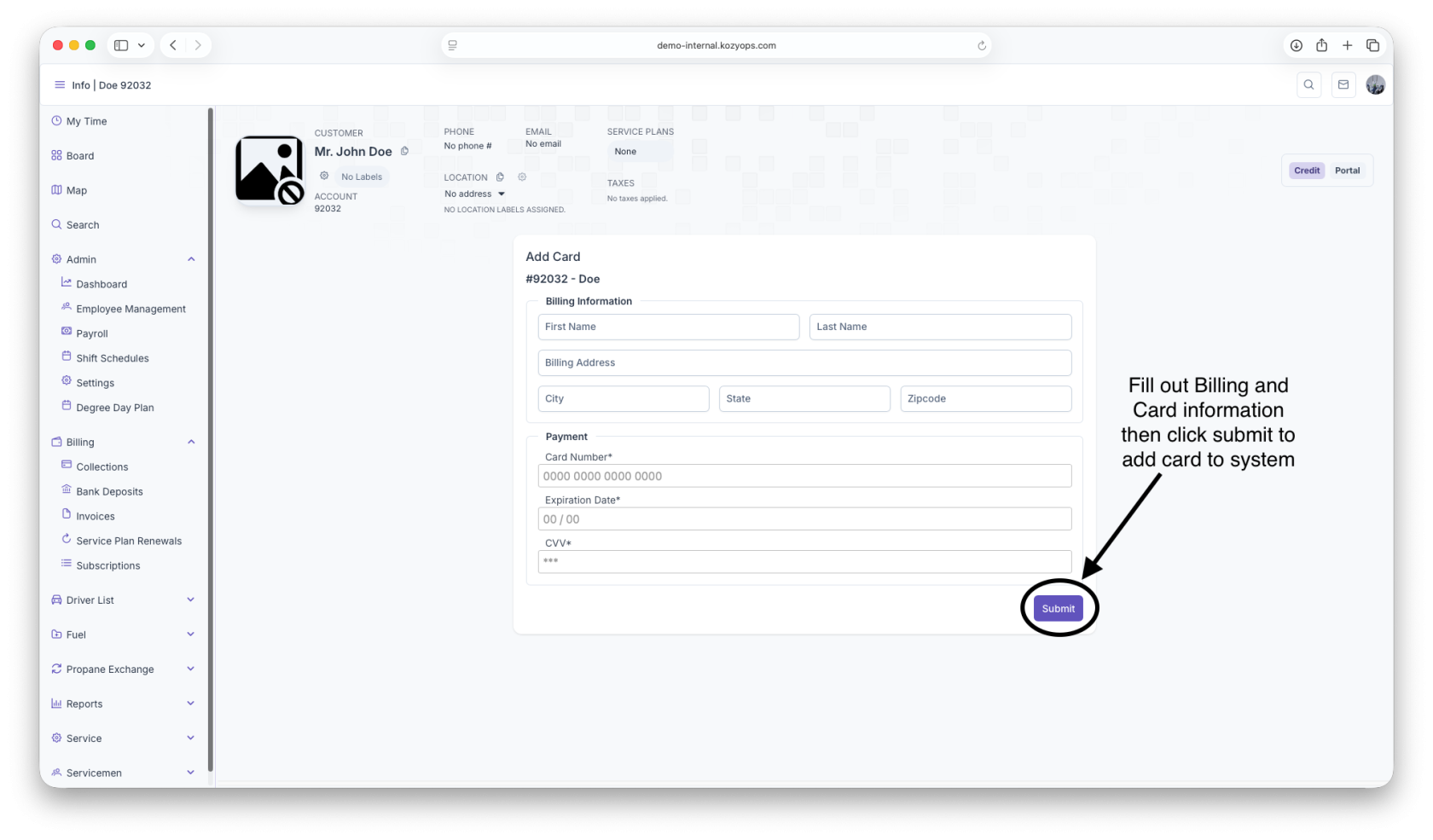
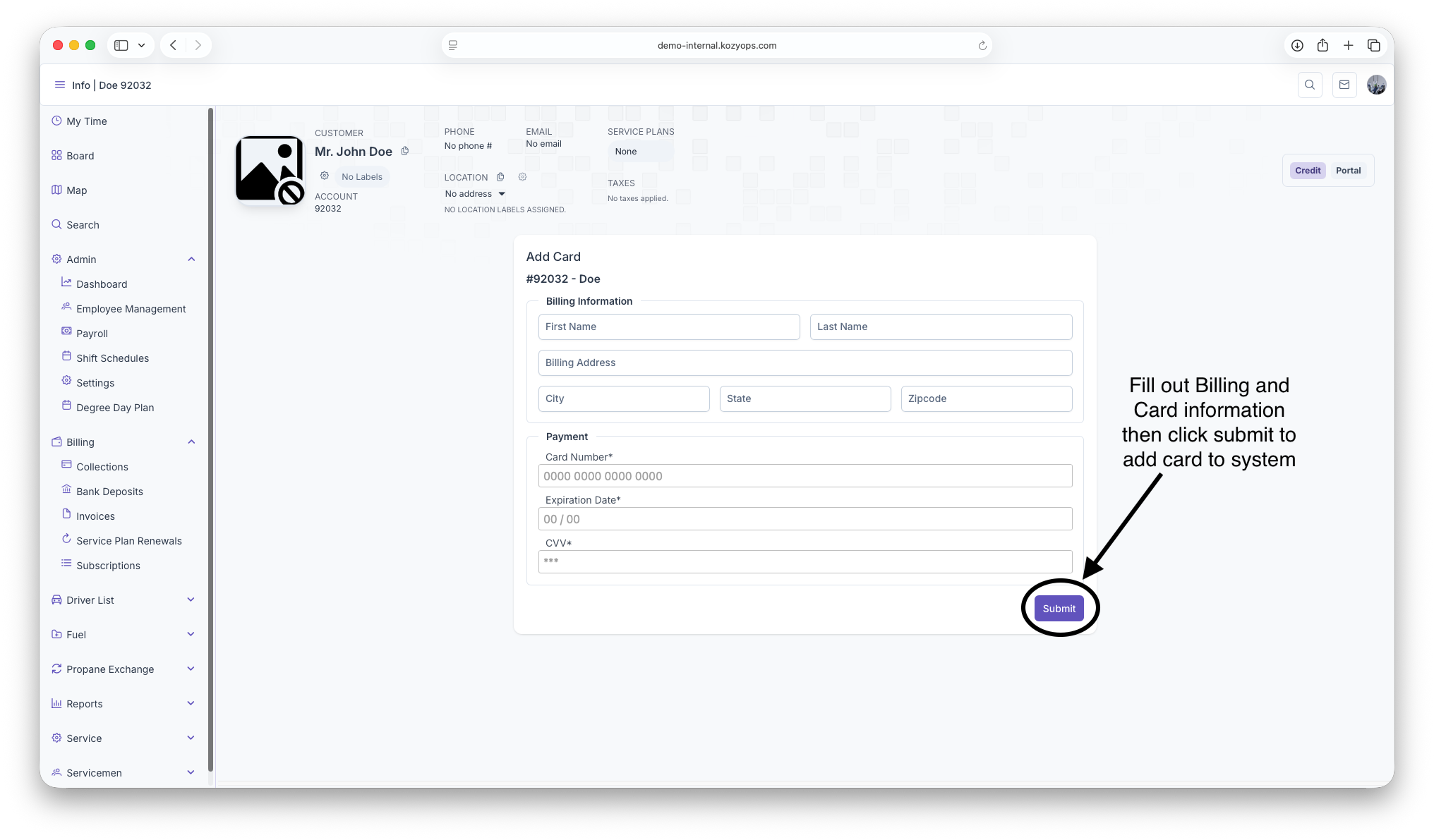
Fillout all Credit/Debit and billing information then click submit to add Card to system