Billing
Introduction
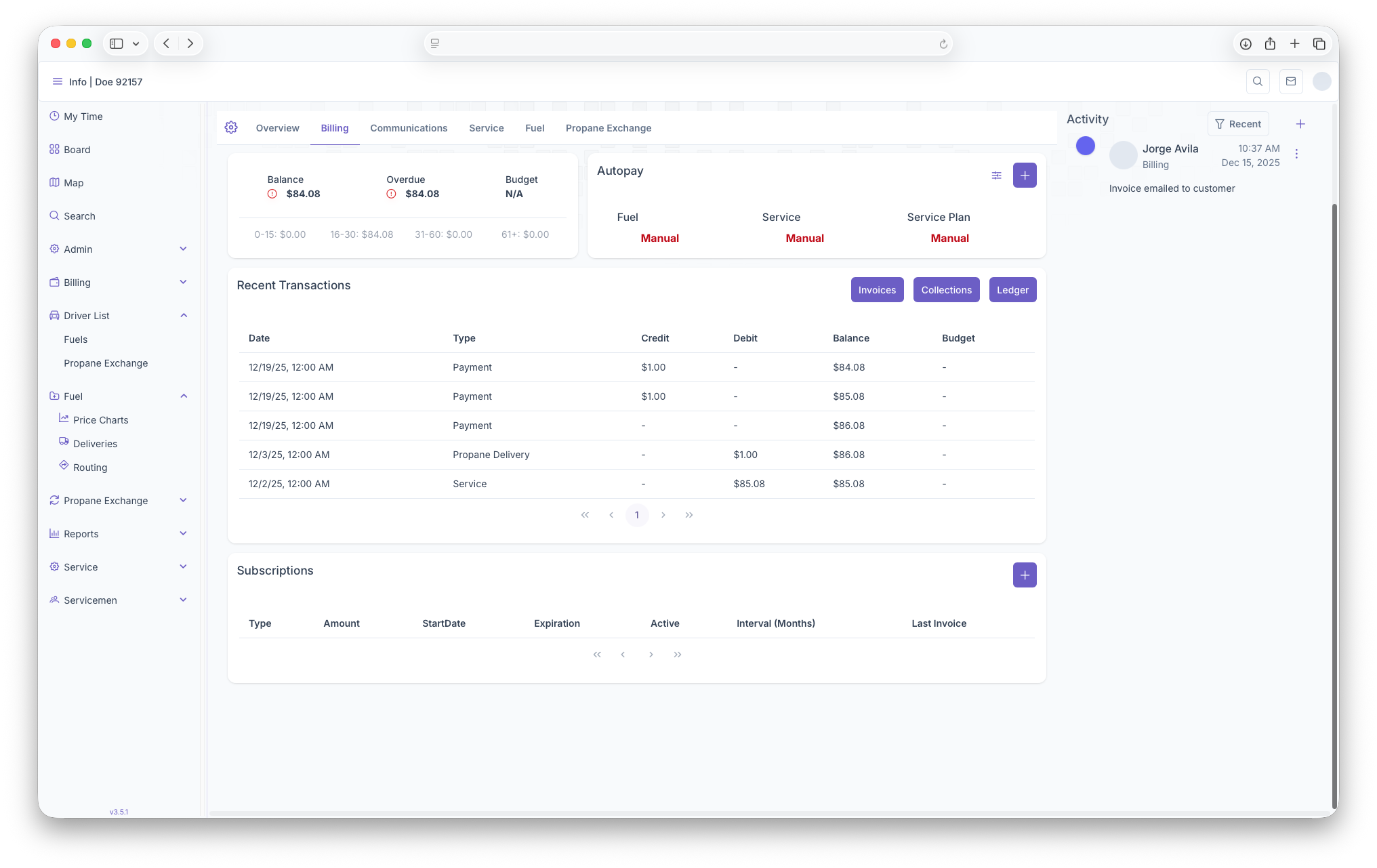
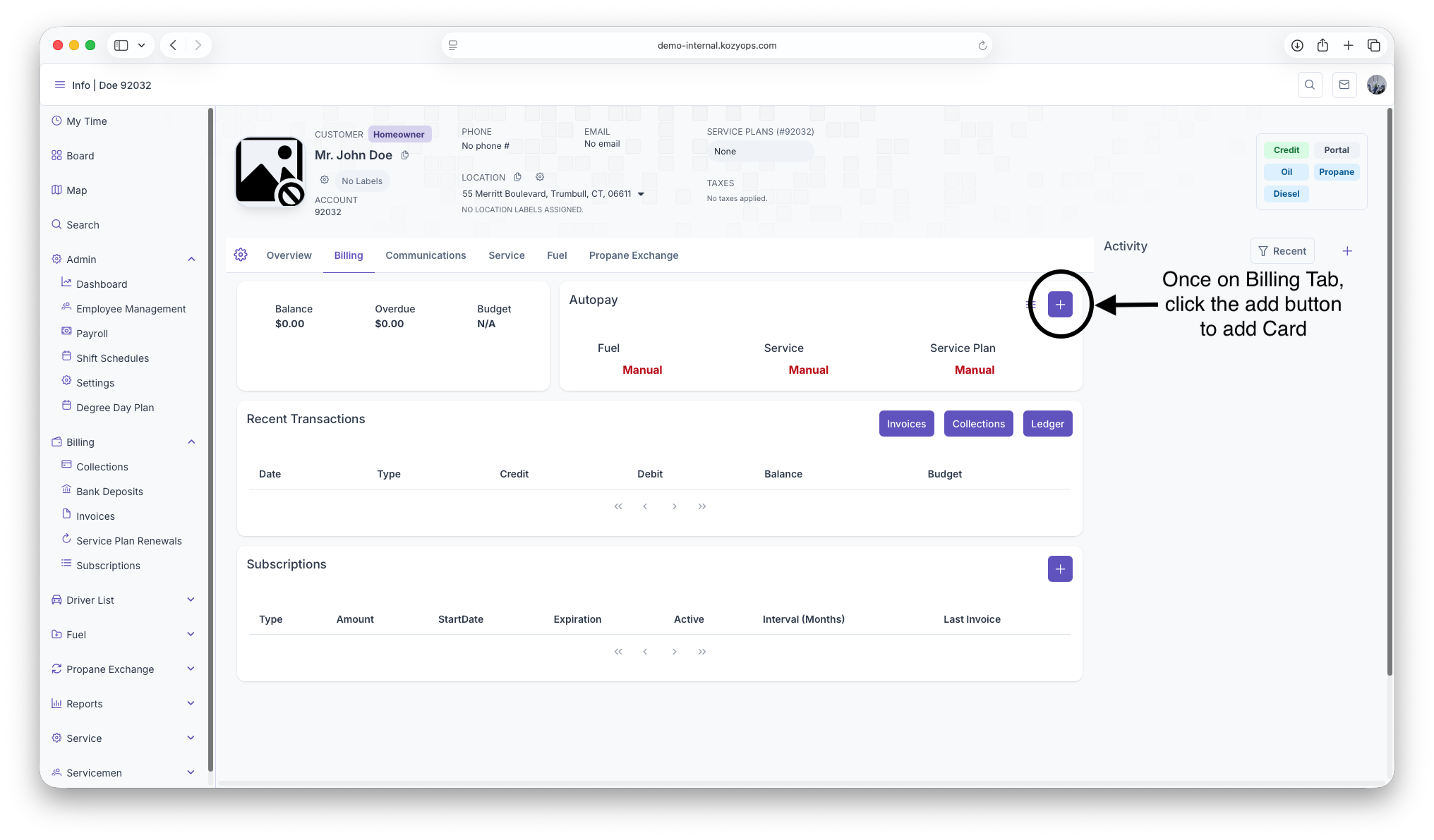
The Billing section of the Customer Account is where all information regarding customer billing can be seen. This includes a balance overview, a section for Autopay, any recent trasactions that have been made on the account and any subscriptions that the customer is a part of for recurring services
Balances
The first thing seen on the Billing page is the Balances box. Here Balances will be shown, Overdue ammounts, Budget as well as an aging report for the customer
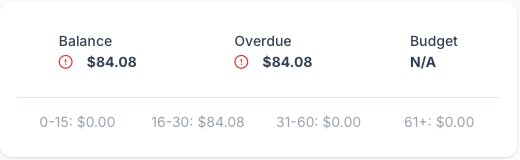
- Balance - The overall Balance on the customers account can be seen here
- Overdue - The Overdue ammount will be shown here
- Budget - The Customers budget plan will be shown here
- Aging Report - The Customers individual Aging Report can be seen here: 0-15 days, 16-30 days, 31-60 days and 61+ days. Each one has balances attached to show how long the balance has been aging for
Autopay
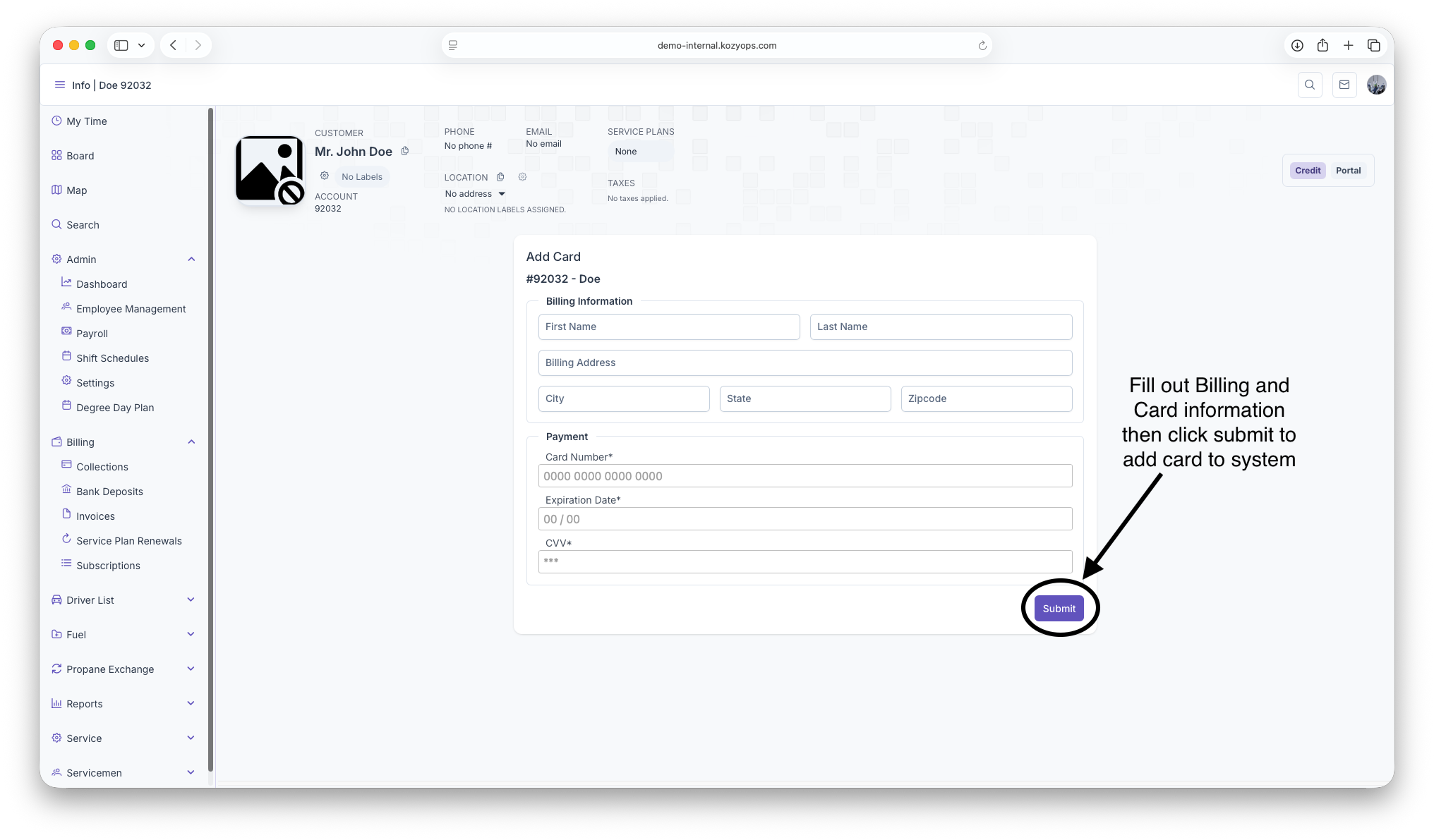
The Autopay section is where credit cards can managed for autopay purposes, this includes adding new cards to the account. A more detailed look can be seen on the ... page
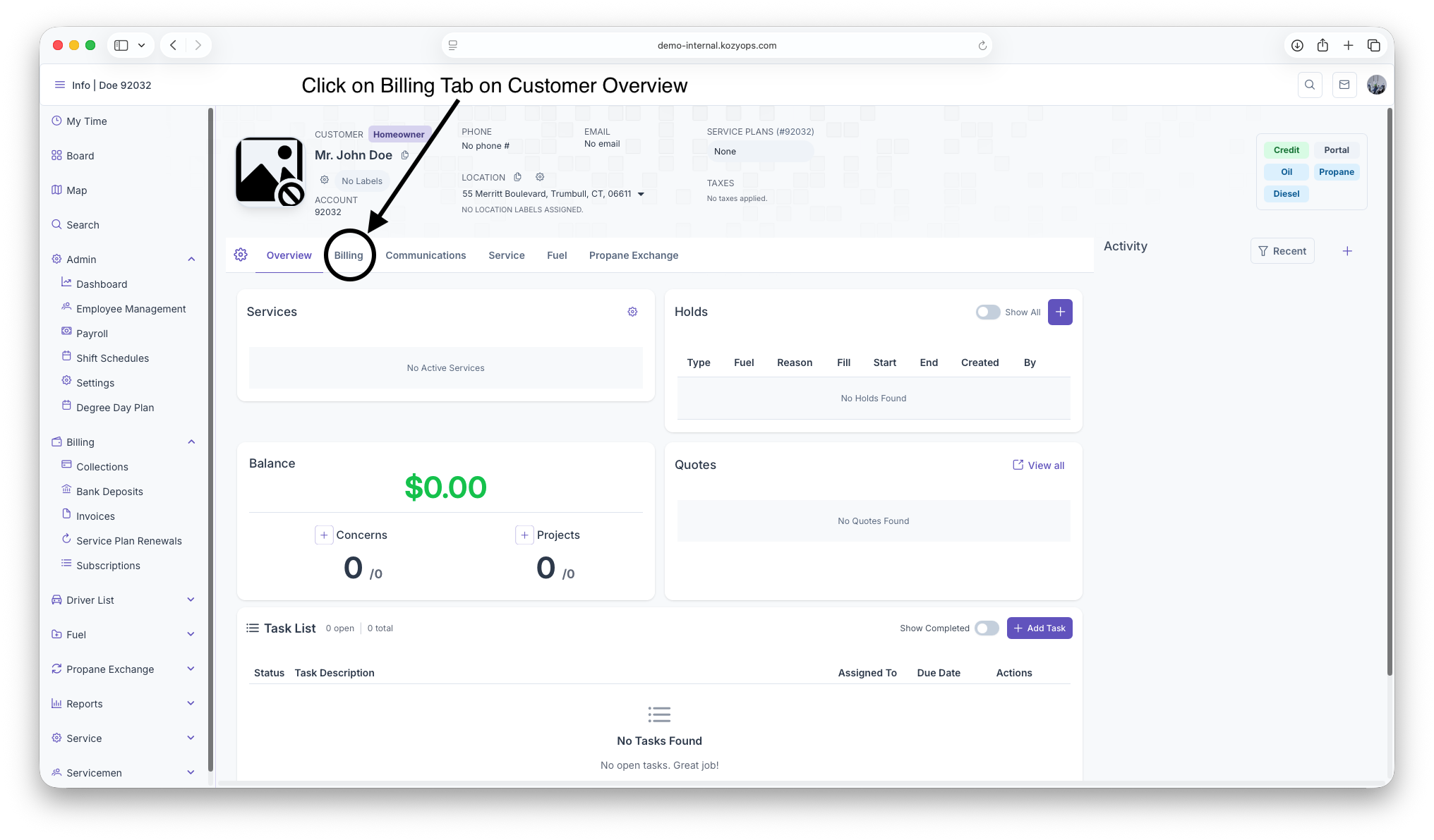
Start on the customer overview page
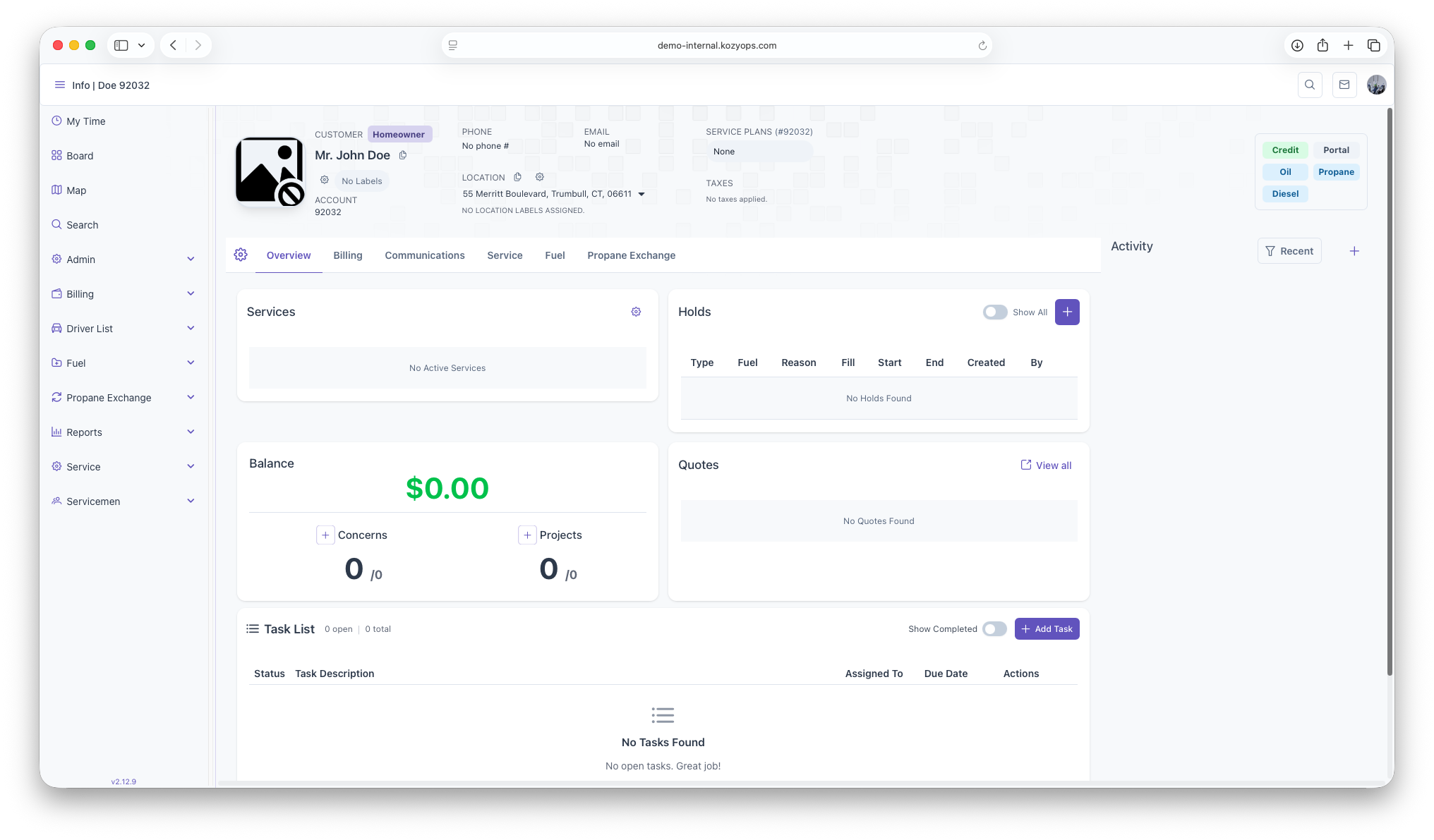
Click on the Billing Tab next to the Overview Tab under Customer header
Once on The Billing Page, click on the add button to pull up Credit/Debit form
Fillout all Credit/Debit and billing information then click submit to add Card to system