Tune Up Search
Tune Up Search
Tune Up Search can be used to to see all Tune-up opportunities in order to review and coordinate any upcoming visits and schedule appropriate outreach opportunites. The Tune Up Search page can be pulled up by clicking on the Reports dropdown on the side menu then clicking on Tune Up Search. Clicking on the three bars on the top left corner of the page will expand the side menu to show more detail allowing for easier navigation. The page can then be filtered by Tune Up Type, Tune Up Date and if the Customer Has a Service Plan. The report will then pull up with the following columns
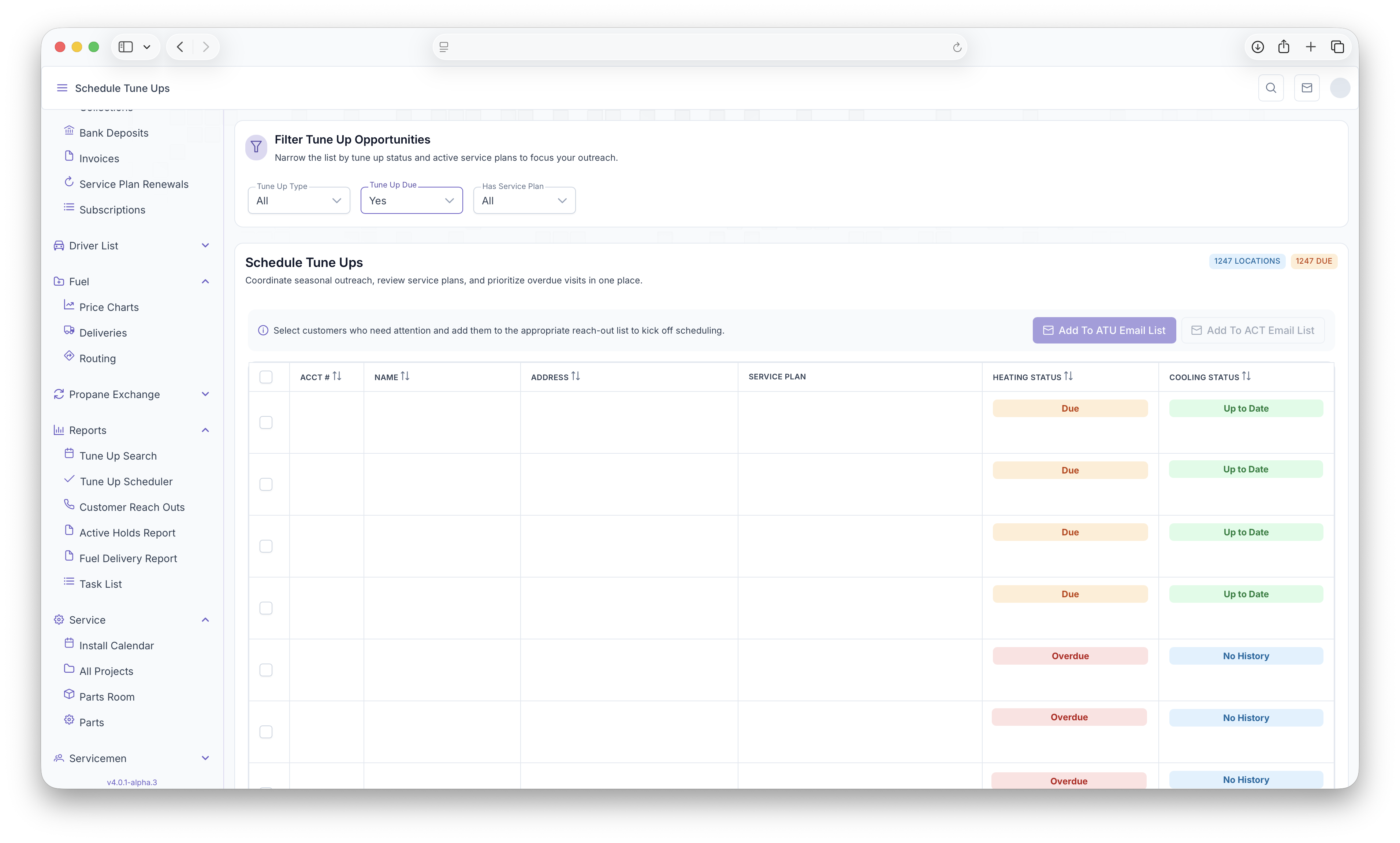
- Account Number - Customer account number
- Customer Name - Name of The Customer
- Customer Address - Customer address
- Service Plan - If the Customer has a Service plan, it will appear here
- Heating/Cooling Status - Shows the status of the customers current heating and/or cooling system, which includes
 ,
,  ,
,  ,
,  , the last time the system was serviced and the last reach out that was made for the system


All Rows can then be selected indiviually or all at once if they need to be added to the ATU Email List or the ACT Email List. This can be done by clicking on the Add To ATU Email List or Add To ACT Email List buttons after seleceting which customers get added to what list.