Fuel Delivery Report
Fuel Delivery Report
The Fuel Deliveries Report is another way to pull up data on deliveries with the inclusion of total sums based on selected filters. To reach The Fuel Delivery Report, on the side menu, click on reports then click on Fuel Delivery Report. Clicking on the three bars on the top left corner of the page will expand the side menu showing more detail and making it easier to navigate. Once on the page, the page will show a sum of The Following which will appear based on the filters set below the information shown
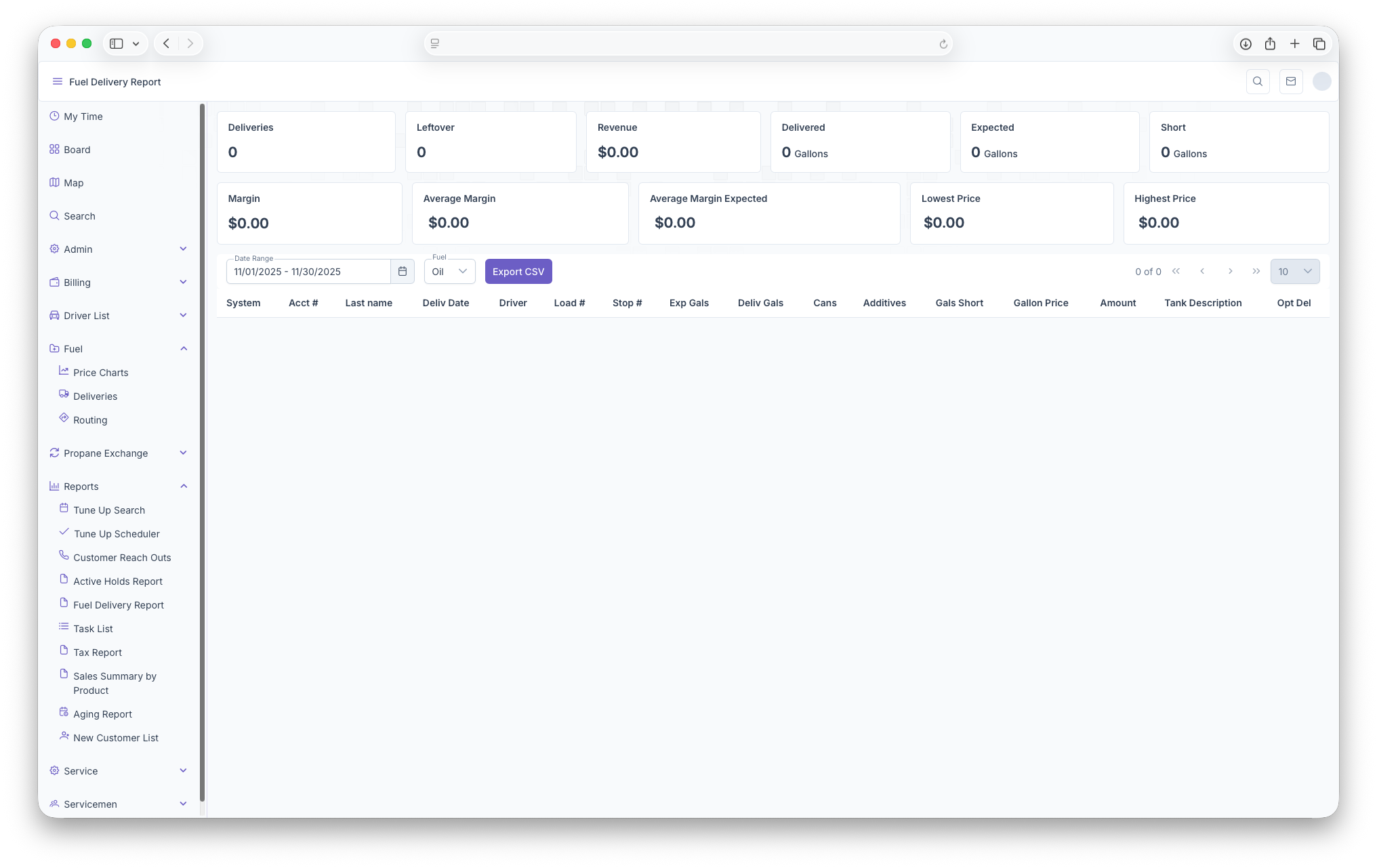
- Deliveries - Total Deliveries
- Leftovers - Total leftover from deliveries
- Revenue - Total Revenue Generated
- Delivered - How much was delivered in total
- Expected - How much was expected to be delivered in total
- Shortage - How much was short for deliveries in total
- Margin - Total Profit
- Average Margin - The average profit line for each delivery
- Average Margin Expected - The average profit line that was expected
- Lowest Price - What the lowest price was for all deliveries
- Highest Price - What the highest price was for all deliveries
Following that, the page can be filtered by Date Range and type of Fuel. The report is then shown with the following columns
- System - Name of The system that was delivered to
- Account Number - Customers Account Number
- Last Name - Last name of the Customer
- Delivery Date - Date of the delivery
- Driver - Initials of the Driver
- Load Number - The Number assigned to the load being delivered
- Stop Number - The number of the stop on the route
- Expected Gallons - The expected gallons being delivered
- Delivered Gallons - How many gallons were actually delivered
- Cans - How many cans were added
- Additives - How many additives were added
- Gallon Shortage - How many gallons they were shorted on delivery
- Gallon Price - Price per Gallon
- Amount - Total Amount after delivery
- Tank Description -
- Optimal Delivery
The report can also be exported into document format for easier printing and sharing by clicking on the Export CSV button next to the filters.