Aging Report
Aging Report
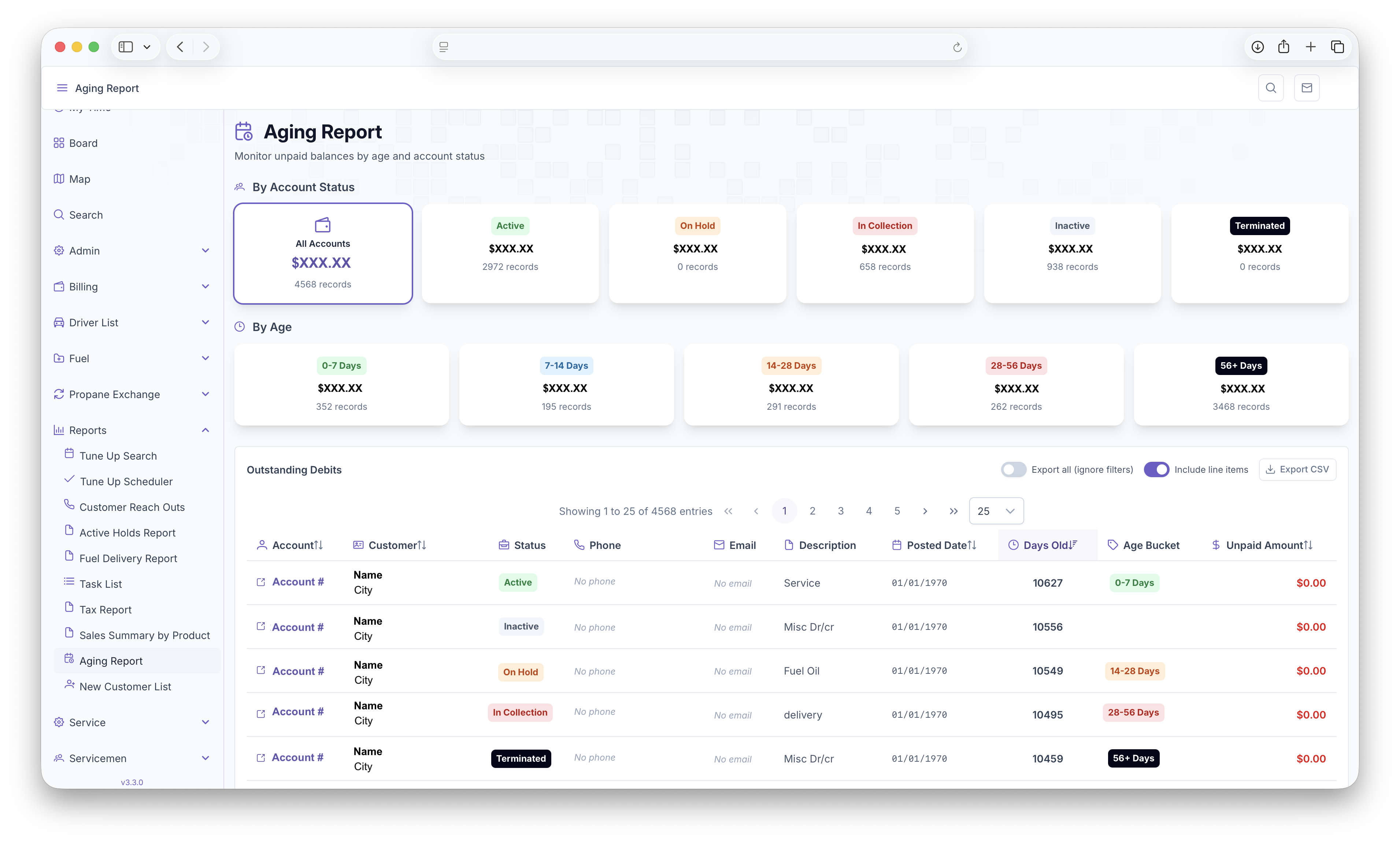
The Aging Report allows unpaid balances to be monitored through age and account status'. The page can be pulled up by clicking on the reports tab on the side bar and clicking on the Aging Report. The side menu can be expanded by clicking on the three lines on the top left corner of the page for easier menu access. Once pulled up, the total balance for all accounts will be shown. The balances are then broken down By Account Status and By Age for the customers in the following
-
By Account
- Active
- On Hold
- In Collection
- Inactive
- Terminated
-
By Age
- 0-7 Days
- 7-14 Days
- 14-28 Days
- 28-56 Days
- 56+ Days
Below that, a table will be generated with each customer as a line item with the following columns
- Account - Displays the account number
- Customer - Displays the Customers name and city
- Status - Displays the customers status
- Phone - Displays the customers phone number
- Email - Displays the customers email
- Description - Displays the service performed
- Posted Date - Displays the date the invoice was posted
- Days Old - How old the invoice has become
- Age Bucket - The Age bucket the customer falls under
- Unpaid Amount - The total amount that has not been paid by the customer
The table can be filtered by clicking on a balance under by Account Status or By Age. The table will then only show customers who fall within the selected balance. The page can then exported for easier printing or sharing by clicking on the Export CSV Button. Either the selected balance or everything can be exported by clicking toggling "Export all." The exported page can also display Line Items by toggling "Include Line Items."