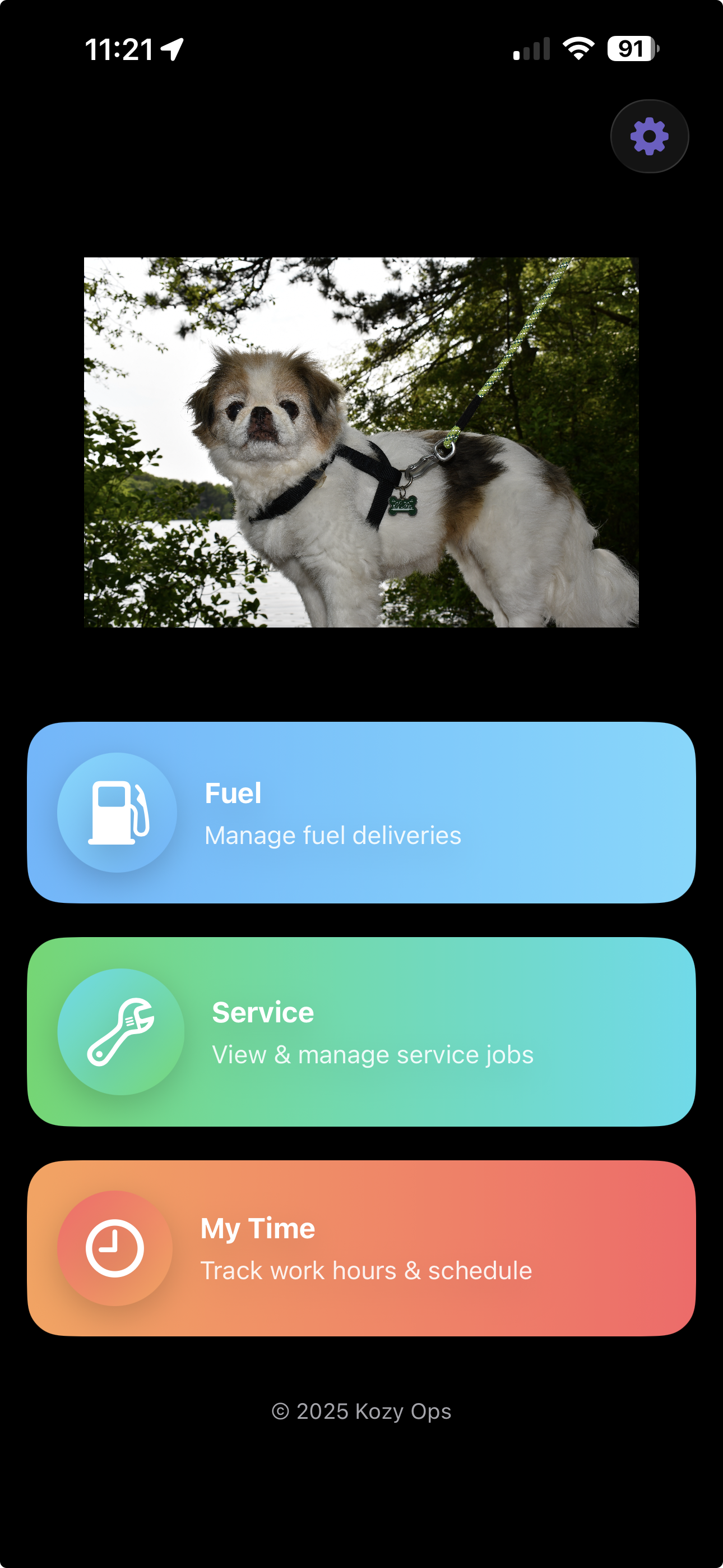
Login – Accessing the App
Overview
The Login screen is the secure entry point to the Kozy Serviceman mobile application. From here, employees authenticate using their company-issued credentials. First-time users or users switching companies must scan their company’s QR code to connect the app to the correct environment.
Key Features
- Secure username and password authentication
- QR code onboarding for environment setup
- Real-time branding (company logo and name auto-load after QR scan)
- Automatic error detection and clear instructions for resolution
Step-by-Step Login Instructions
Step 1: Open the App
- Ensure you have internet or cellular data access
- Tap the Kozy Serviceman icon to launch the app
Step 2: Enter Your Credentials
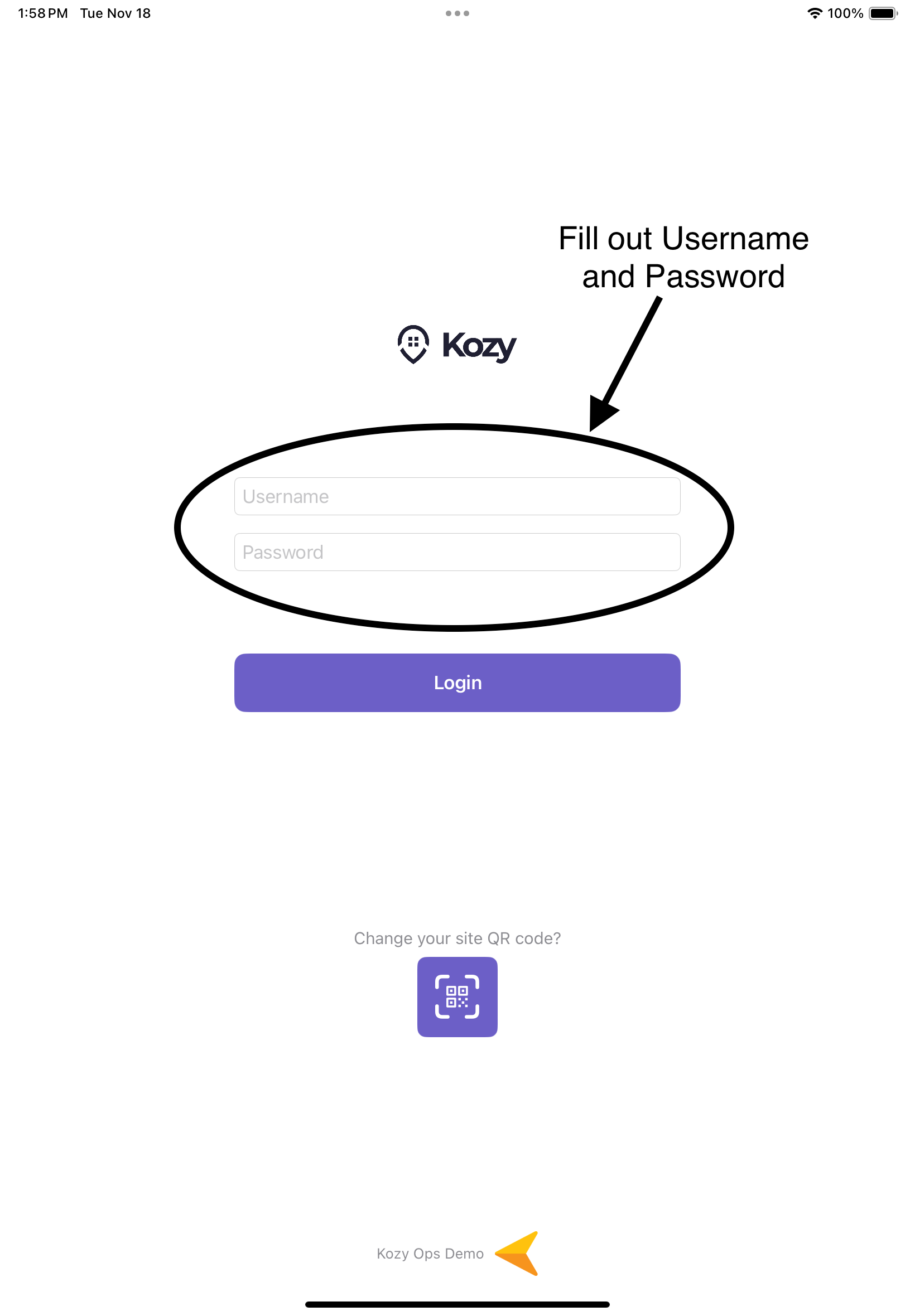
- Tap the Username field and enter your employee username
- Tap the Password field and enter your password
Step 3: First-Time Setup (QR Scan Required)
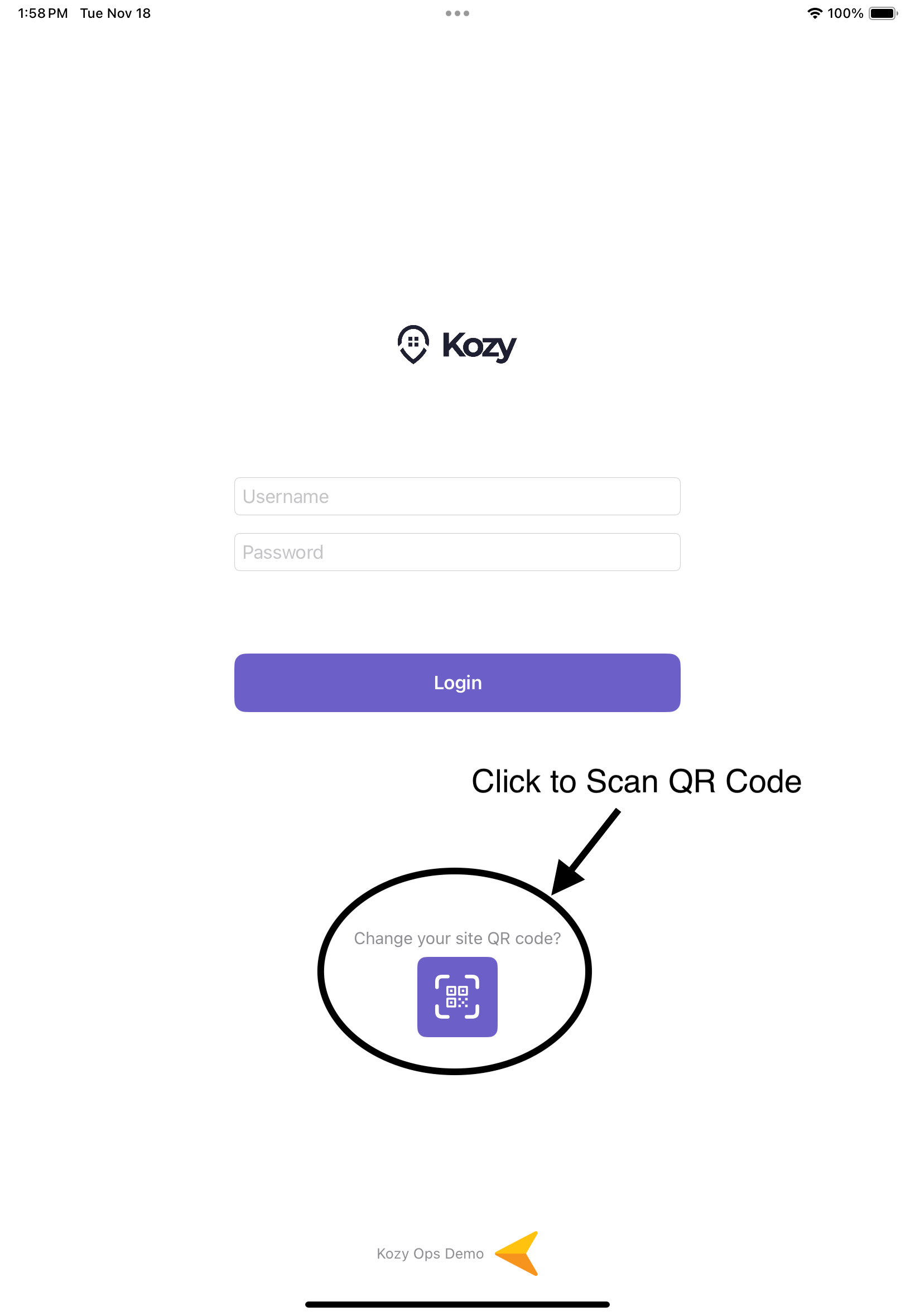 If this is your first time using the app:
- Tap the QR Code icon below the login button
- Point your camera at the QR code provided by your company or dispatcher (See QR code if not provided)
- The app will automatically configure your environment
- A company logo and name will appear at the bottom confirming success
Step 4: Logging In
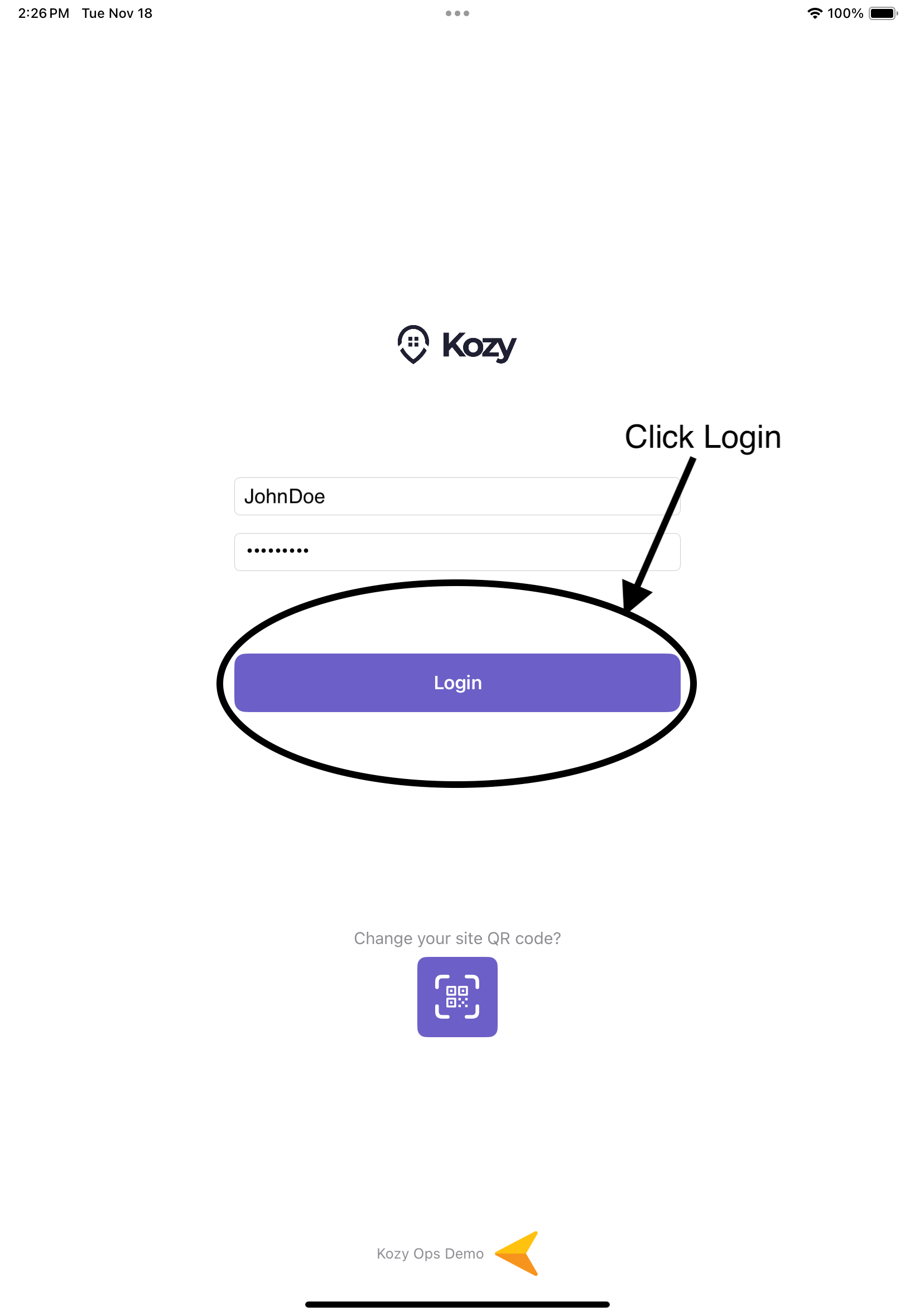
- Tap the Login button
- A loading indicator will appear while your credentials are verified
- If successful, you will be taken to the Home screen