Routing Map
Routing Map
The Routing map is now where all delivery request will show up, including manual and auto deliveries. Before getting started with setting up a route, a few things must be set prior to beginning
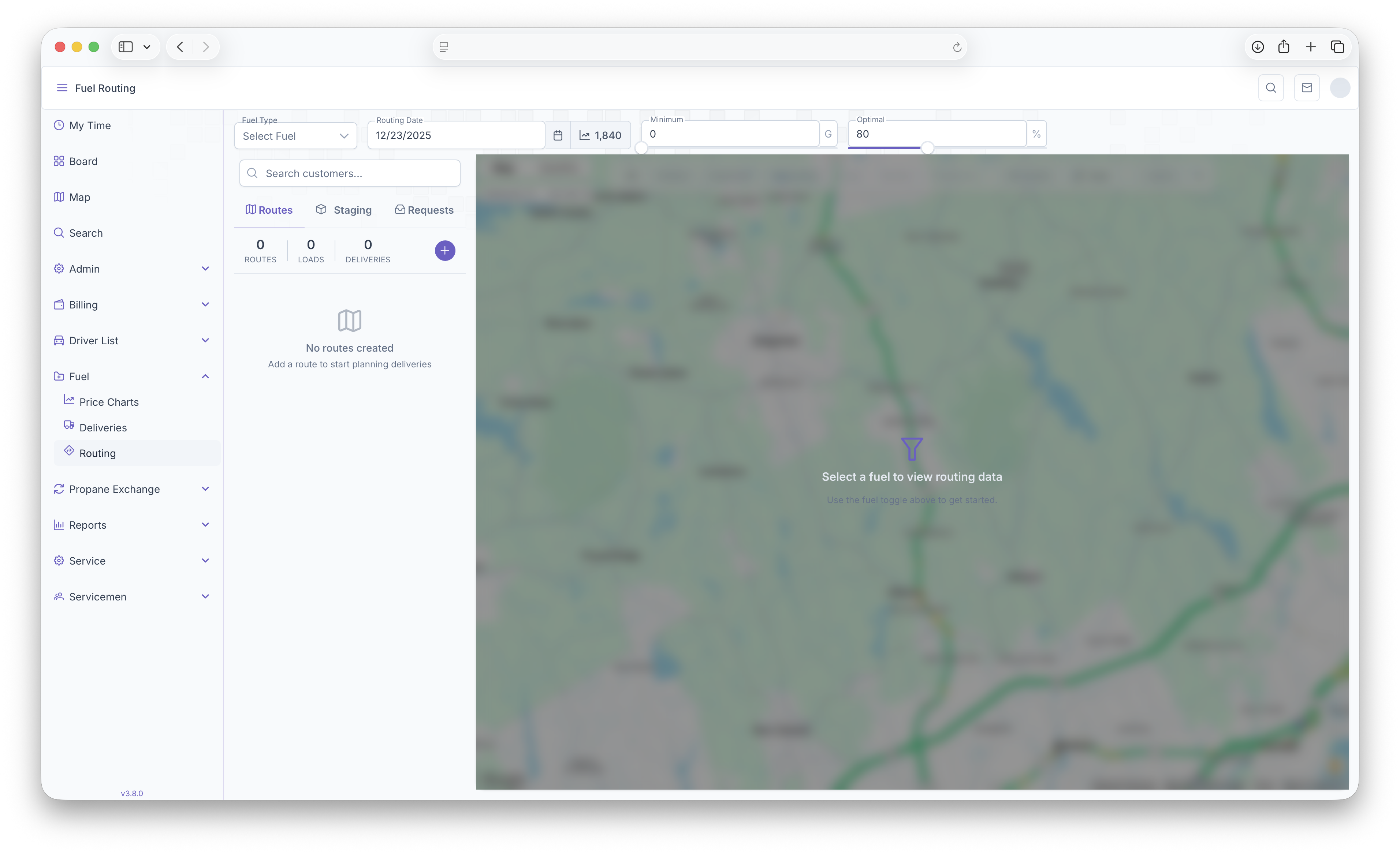
- Fuel Type - Select the fuel that's being routed for delivery
- Routing Date - The date the route is set to be delivered
- Minimum - Can be adjusted to filter out Customers who are below the set minimum gallons on the map
- Optimal - Can be adjusted to filter out Customers who are above the set optimum gallons on the map
These will be the first steps taken in order to start a route. The map will also show the current degree day next to the Routing Date. Once completed, The Routing Map will open up showing all Customers on the map.
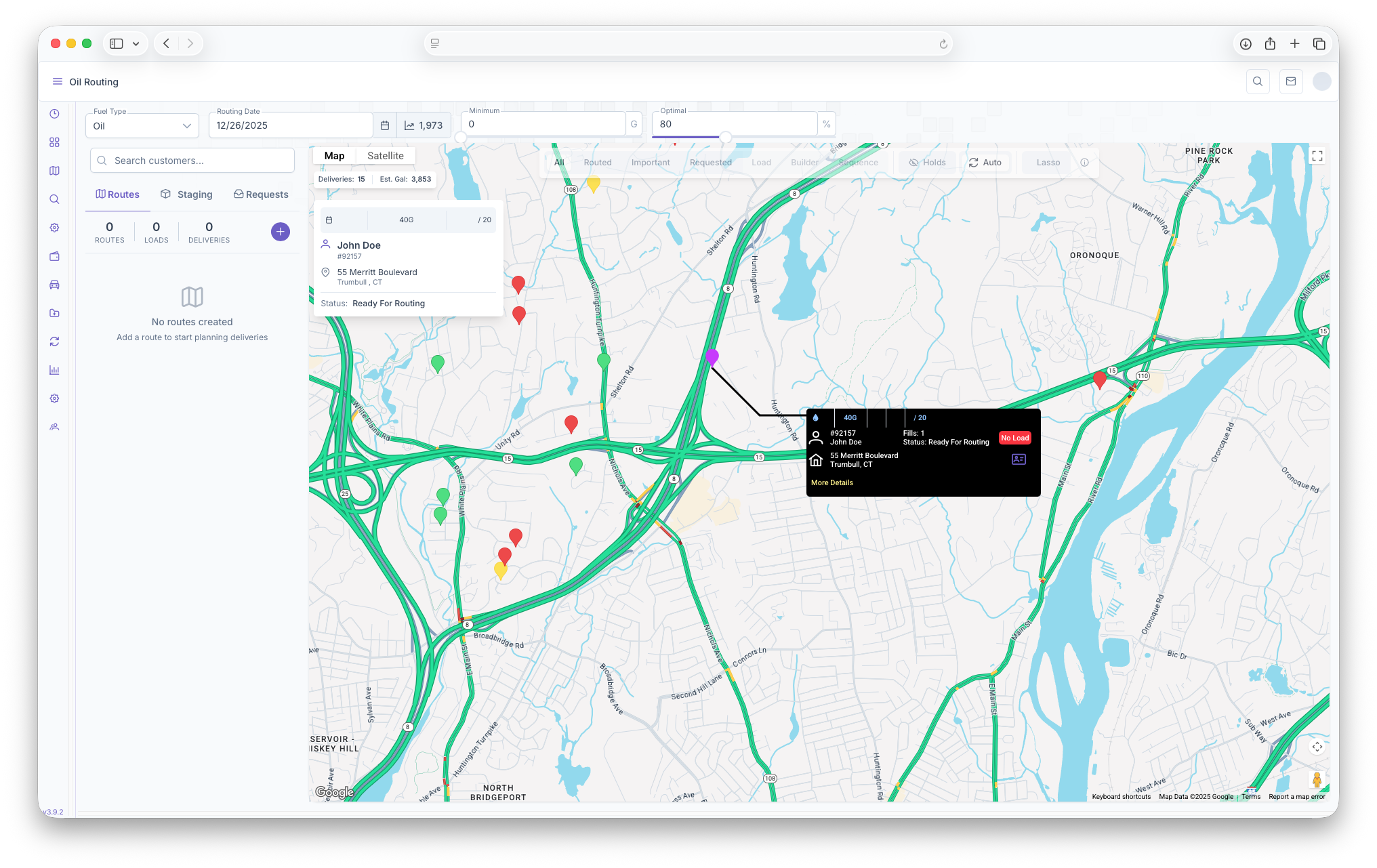
Customers on Map
Hovering over a marker will show a brief description of the customer on the map, this includes
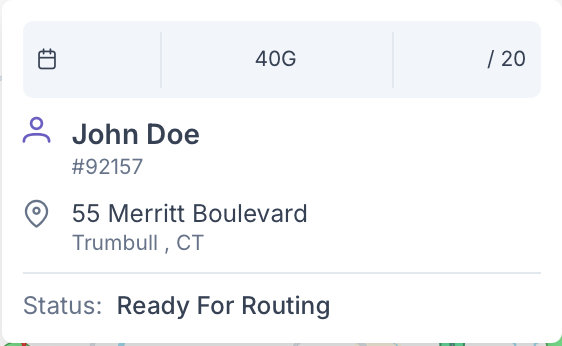
- Tank Size
- Expected Deliver/optimum Delivery
- The Customers Name
- Their Account Number
- Address
- Customer Status
Clicking on the marker will bring up a black box with more detail and options to take on the Customer. This box will be used later on for actual routing.
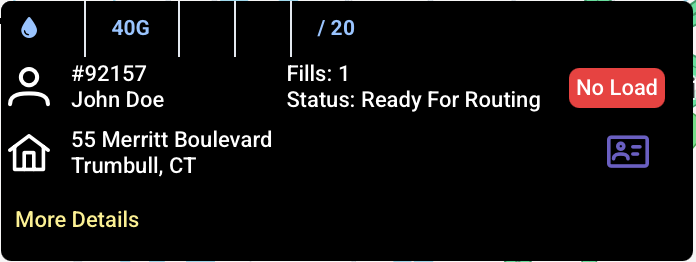
Additional options are that clicking on More Details will bring up a popup showing a more in depth look into the customers information which includes the extra following
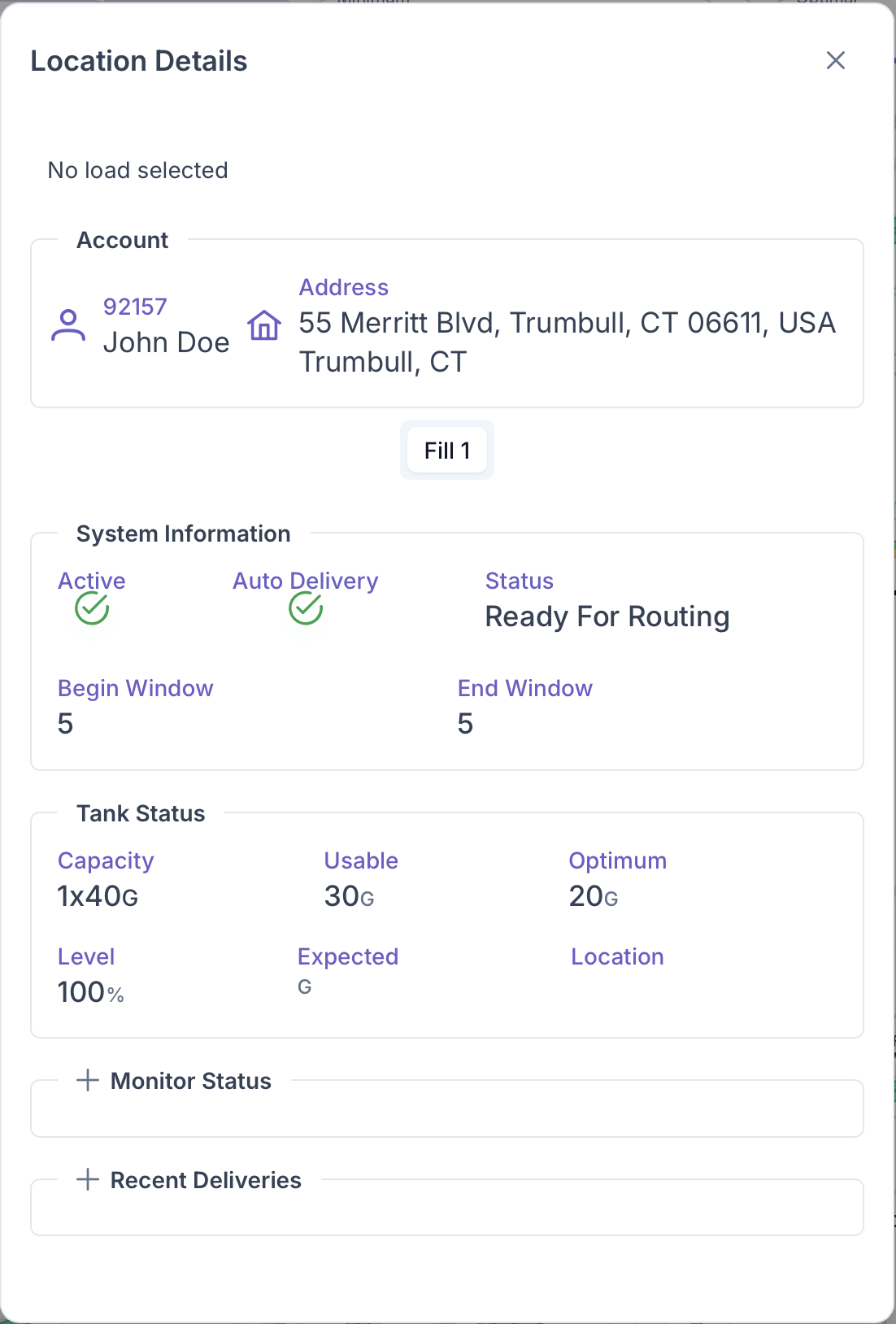
- System Information - This includes if the Customer's home is active, if it's set up for Auto Delivery, if it's ready for routing and the Degree Window for Delivery, including the Begin and End Window
- Tank Status - This includes Tank Capacity, the usable amount, the optimum fill, what level the tank is, expected delivery and the location of the tank on the property
- Monitor Status
- Recent Deliveries
Clicking on the Purple Card on the black customer box will pull up the Customer Account page.
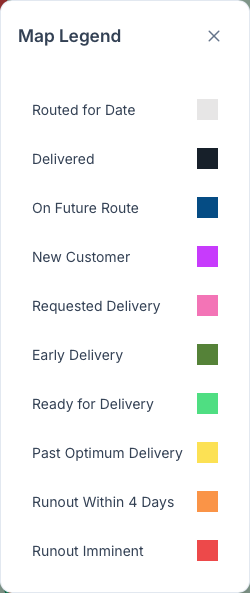
The map also features a legend to indicate what every color on the map signifies. Clicking on the explanation point on the bar will bring up the legend