Payroll
Employee Payroll
Each week, you will see every employee's clock-ins and clock-outs for the week. If an employee has marked no lunch, you must review the adjustment and approve it. The same applies if an employee needed to adjust their time card because they did not clock in or out. The administrator can also edit a time card that needs to be modified by selecting Edit on the day of the adjustment.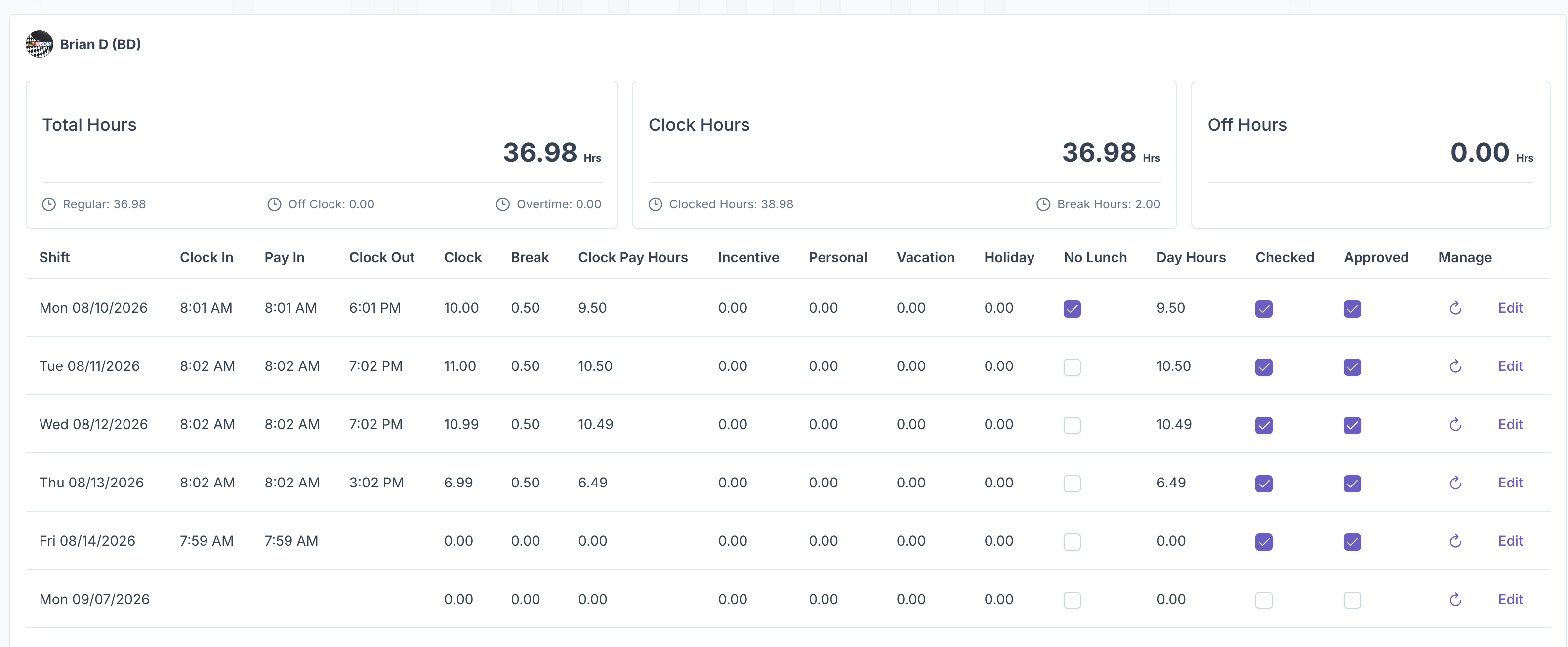
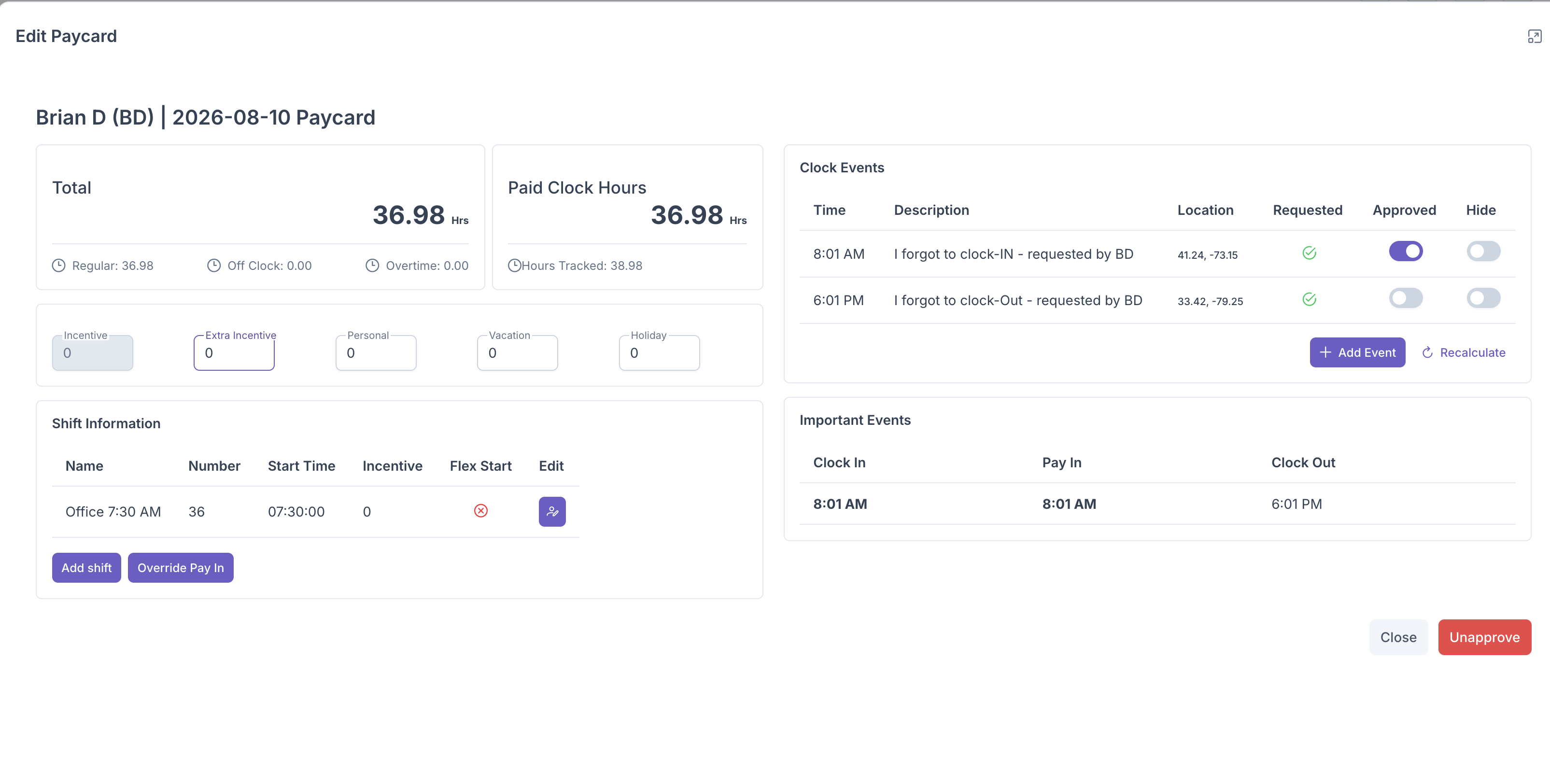
To add vacation, PTO, holiday, or extra incentive hours, select Edit on the day needed and type in the number of hours being used or added. For example, enter 8 for a full day of PTO.
Once you have finished reviewing and approving the employee's time card for the week, click the check mark in the bottom left corner of the screen to finalize payroll.